Prefer a technician? Schedule Samsung repair service(official Samsung site)
Samsung Refrigerator Not Cooling? Settings, Airflow and Defrost Checks
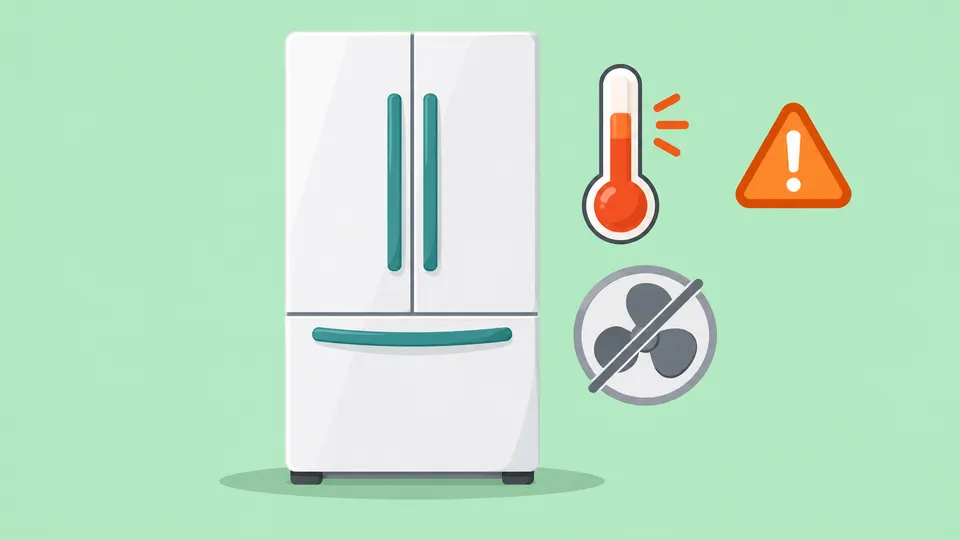
Quick Answer
If your Samsung refrigerator is not cooling, check the display first: OF OF, OFF OFF or scrolling bars mean demo mode, which stops cooling. Then power cycle for 2 minutes, leave 2 inches of clearance, keep food off the vents, test the door seals and wait about 3 hours. Fan or defrost codes, returning frost, or a fridge still warm after that call for Samsung service.
On this page
- What should you check first on a Samsung refrigerator?
- Does a power cycle help, and how long should you wait?
- Which airflow, seal and room problems make a Samsung fridge warm?
- Why is the freezer cold but the fridge warm?
- What do Samsung error codes mean for cooling?
- When should you request service instead?
- Is the food still safe in a warm Samsung refrigerator?
- Frequently Asked Questions
- Our Take
- Sources
Key Takeaways
- Samsung's Cooling Off Mode (demo or shop mode) shows OF OF, O FF, OFF OFF or scrolling bars and stops cooling. Holding the top two left buttons for 5 to 8 seconds turns it off on many models.
- Samsung's first reset is a 2-minute power cycle. Allow about 3 hours to see the temperature drop, and up to 28 hours to reach a new setting.
- Samsung's checks: about 2 inches of clearance, food 2 inches from vents, clean door seals and the dollar-bill test, and a room between 50 and 110 degrees F.
- Fan codes 21E and 22E, defrost code 5E, compressor codes such as 84C, torn seals, or frost that returns all mean a service request.
- Sealed system and refrigerant work is for an EPA-certified technician, not a home fix.
What should you check first on a Samsung refrigerator?
Start with the display, then a thermometer. Samsung's own troubleshooting page for a fridge that is not cooling begins by asking whether the display shows "OF OF, O FF, OFF OFF, or scrolling temperature bars" [1]. Those readings mean the refrigerator is in Cooling Off Mode, which Samsung says is "sometimes called Demo mode or Shop mode."
If the display shows OF OF, OFF OFF or scrolling bars, the refrigerator is in demo mode and will not cool until you turn the mode off. Samsung's error code page says no service is needed: hold the top two left-side buttons for 5 to 8 seconds until a chime sounds, and on some newer models also press the top right button. If the fridge slips back into the mode, repeat the steps [2]. Samsung adds that the steps "vary depending on what type of panel you have," so check your owner's manual for the exact buttons [1].
Then put an appliance thermometer in the middle of the fridge. FDA says the refrigerator should be at or below 40 °F and the freezer at 0 °F, and calls appliance thermometers "the best way of knowing these temperatures" [4]. For the freezer, Samsung recommends "-2°F as a default setting" [1].
If your problem is broader than Samsung, our guide to a refrigerator not cooling while the freezer works explains how cold air travels between the two sections, and our LG refrigerator not cooling guide covers the same ground for that brand.
Does a power cycle help, and how long should you wait?
Often it is worth one try. Samsung says to unplug the refrigerator, or switch off its circuit breaker, for 2 minutes and then restore power. As it restarts, the refrigerator runs a self-test and shows an error code if it finds a problem [1]. If a code appears, skip ahead to the code table below.
Patience matters as much as the reset. For a fridge that is not cooling at all, Samsung says "three hours should be enough time" to see the temperature drop, or two hours with Power Cool enabled. After you change a setting, the display can take up to 4 hours to show it, and the refrigerator can take up to 28 hours to reach it if the doors stay closed [1]. Opening the doors repeatedly during that window only slows the result.
Which airflow, seal and room problems make a Samsung fridge warm?
Samsung lists several ordinary causes before it suggests service. Work through them in this order, and recheck the temperature after each wait.
| Check | What Samsung says | Why it matters |
|---|---|---|
| Clearance | Leave about 2 inches at the back, top and sides | Heat from the cabinet has to escape |
| Vents | Keep food about 2 inches from the interior vents | Blocked vents stop cold air reaching the shelves |
| Frost on vent walls | Ice on the back-wall vents blocks airflow; clear it | Moisture-heavy food near vents can freeze and add frost |
| Door seals | Close a bill or paper in the door and pull; slight resistance is normal | A weak seal lets warm air in |
| Leveling | Misaligned doors, often on new installs, can fail the test | Check leveling before blaming the seal |
| Room temperature | Above 110 °F or below 50 °F, the fridge may not cool properly; below 55 °F it works harder | Garages and unheated rooms can cause trouble |
All of these are from Samsung's cooling page [1]. The same page says to clean the seals monthly with a damp cloth and dish soap, and notes that frost or condensation near the door edge suggests the seal is not sealing. A torn or warped door seal needs service, not a home fix.
Samsung's frost page explains why a leaky door matters: "Frost is caused by warm moist air getting inside, then freezing." Overstuffed shelves, a misaligned gasket, hot food placed straight into the fridge and blocked back-wall vents all let moisture build up [3]. A quick test from that page is to put a flashlight inside and close the door; light leaking out shows where the seal fails.
Why is the freezer cold but the fridge warm?
Samsung's pages we read do not describe this exact symptom, so treat this section as our reading of the clues rather than Samsung guidance. On most frost-free refrigerators, cold air is made in the freezer and shared with the fresh food section, which is why anything that restricts airflow can leave the freezer cold and the fridge warm. Our general guide covers that airflow path in detail.
What Samsung does document is the set of things that interrupt it:
- Frost blocking vents. Samsung says frost on the vents blocks airflow, so it must be cleared or more will build up. Wipe light frost with a damp cloth, then dry it, and use a plastic scraper for heavier patches. Do not use a hair dryer to speed up defrosting, because Samsung says it can damage the refrigerator. If the frost returns, Samsung says to request service [3].
- Fan codes. A code of 21E is Samsung's freezer fan error, and 22E or 22C is the fridge fan error. Samsung says the electronics do not sense the fan turning, which can come from a frozen fan, an open door, a bad door gasket or a failed motor [2].
- A defrost sensor code. Samsung's list of commonly reported codes includes 5E as a "fridge defrost sensor error," and says to request service for these [2].
If the freezer fan is stopped, the fridge, which depends on that airflow in most designs, can warm while the freezer stays cold. We cannot tell you which part has failed from the kitchen, and a heavy sheet of ice across the back wall usually means a defrost problem that needs a technician. Do not chip ice off panels or remove them while the refrigerator is plugged in.
What do Samsung error codes mean for cooling?
If a code shows, follow Samsung's guidance for that code before any other step, because Samsung says some codes mean service is needed and no other troubleshooting is required [1]. Code meanings depend on the model, so confirm yours in the manual or with our error code lookup.
| Code | Samsung's meaning | Samsung's guidance |
|---|---|---|
| OF OF, O FF, OFF OFF, scrolling bars | Cooling Off Mode (demo or shop mode) | Hold the top two left buttons 5 to 8 seconds |
| 21E | Freezer fan error | Defrost the unit, or request service |
| 22E, 22C | Fridge fan error | Unplug, leave doors open a few hours, then retry; service if it returns |
| 5E | Fridge defrost sensor error | Request service |
| 83E, 85E, 86E, 88 88 | Compressor current or voltage faults, or a communication fault | Power off 60 seconds, restore; service if it returns |
| 84C | Compressor lock | Request service |
Table source: Samsung's refrigerator error code page [2]. Note that 83E, 85E and 86E are listed as possibly caused by a power surge or brown out, so a code after a storm is not always a failed part.
All icons flashing after you plug in the refrigerator or after a power outage is normal, according to Samsung: the fridge is running a self-diagnostic [2].
When should you request service instead?
Samsung says to request service through its Support Center if the display is still blinking 28 hours after a temperature change, if the fridge is not cooling at all and the problem continues after the wait, if food spoils early after you have done the steps, or if the seals are warped or damaged [1]. Frost that comes back after clearing it also calls for service [3].
Samsung also says that if the refrigerator is running, food is not spoiling early and no error code appears, service is not required. A fridge that keeps food safe at 40 °F or below is working, even if the shelves feel less cold than you expected.
Compressor, sealed system and refrigerant repairs belong to a licensed technician. EPA requires technicians who maintain, service, repair or dispose of equipment that could release ozone-depleting refrigerants to be certified [6]. Codes such as 83E, 85E, 86E and 84C relate to the compressor, so after a power-off reset that does not clear them, book a technician rather than opening anything yourself. If your fridge leaks water around the same time, see our refrigerator leaking water guide.
Is the food still safe in a warm Samsung refrigerator?
Not always. FDA's power outage guidance says to throw out refrigerated perishable food that has been "at refrigerator temperatures above 40°F for 4 hours or more" [5]. That page is written for outages, but a refrigerator that runs warm puts food in the same position. Move perishables to a cooler with ice while you troubleshoot, and use a thermometer rather than touch to decide.
For other Samsung appliance problems, browse our Samsung repair guides, or see all refrigerator repair guides.
Frequently Asked Questions
How do I turn off demo mode on a Samsung refrigerator?
Samsung's error code page says to hold the top two left-side buttons for 5 to 8 seconds until a chime sounds. Some newer models also need the top right button. Button layouts vary by panel, so check your owner's manual, and repeat if the fridge returns to the mode.
How long does a Samsung refrigerator take to cool after a reset?
Samsung says three hours should be enough to see the temperature drop after a power cycle, or two hours with Power Cool on. After you change a setting, the display can take up to 4 hours to update and the fridge up to 28 hours to reach it, with the doors kept closed.
Why is my Samsung freezer cold but the fridge warm?
Samsung's pages do not describe this exact symptom. In our reading, anything that blocks the airflow shared between the sections, such as frost on the vents or a stopped fan, can do it. Clear light frost, check the display for 21E, 22E or 5E, and request service if it persists.
Our Take
Our Take: we would spend ten minutes on the display and the reset before anything else, because Samsung documents demo mode and the 2-minute power cycle as owner steps, and they cost nothing. We would then clear the vents and test the door seals, and be patient, since Samsung says it can take hours for the temperature to move. We would not try to speed up a defrost with heat or chip at ice, and we would not open any panel on a plugged-in fridge. If a fan, defrost or compressor code returns after a reset, or frost keeps coming back, we would request service and keep the receipt handy. Samsung's pages do not describe a cold freezer with a warm fridge directly, so our explanation of that symptom is our own reading, not a Samsung statement.
Sources
- Cooling issues with Samsung refrigerator or freezer. Samsung.
- Samsung refrigerator error codes. Samsung.
- Frost forms in the Samsung freezer, refrigerator, or ice bucket. Samsung.
- Are You Storing Food Safely?. U.S. Food and Drug Administration, 2023.
- Food and Water Safety During Power Outages and Floods. U.S. Food and Drug Administration, 2024.
- Section 608 Technician Certification. U.S. Environmental Protection Agency.
Repair information is general guidance. Unplug the appliance and shut off water or gas before working on it, follow your owner's manual, and call a qualified technician for gas, refrigerant or high-voltage work. Spotted an error? Tell us.
Related Fixes
Refrigerator Not Cooling but Freezer Works? Start Here
Fridge warm but freezer cold? Check the thermometer, settings, vents, door seals and coils, look for frost or a silent fan, and learn when to call a pro.
LG Refrigerator Not Cooling: Linear Compressor and Other Causes
LG fridge not cooling? Turn off demo mode, decode Er FF, Er rF and other LG codes, check settings and airflow, and learn what LG's compressor warranty covers.
Refrigerator Leaking Water Inside or Underneath? Find the Source
Refrigerator leaking water? Find where it pools, then check the defrost drain, door seals, level, water line, filter, drain pan and dispenser before you call.
Samsung Ice Maker Not Working? Fixes for No Ice and Frozen Ice Makers
Samsung ice maker not working or not making ice? Check temperature, Ice Off, bucket, 20 psi water and filter, the Test button reset, and when to call
Frigidaire Ice Maker Not Working: Step-by-Step Checks
Frigidaire ice maker not working or not making ice? Check by model type: power, lock, freezer temperature, filter, water line, reset and when to call
Whirlpool Ice Maker Not Working: Step-by-Step Checks
Whirlpool ice maker not working? Check that it is on, set the freezer to 0 to 5°F, inspect the filter, water line and pressure, and clear jammed or clumped ice.