Prefer a technician? Schedule Samsung repair service(official Samsung site)
Samsung Ice Maker Not Working? Fixes for No Ice and Frozen Ice Makers
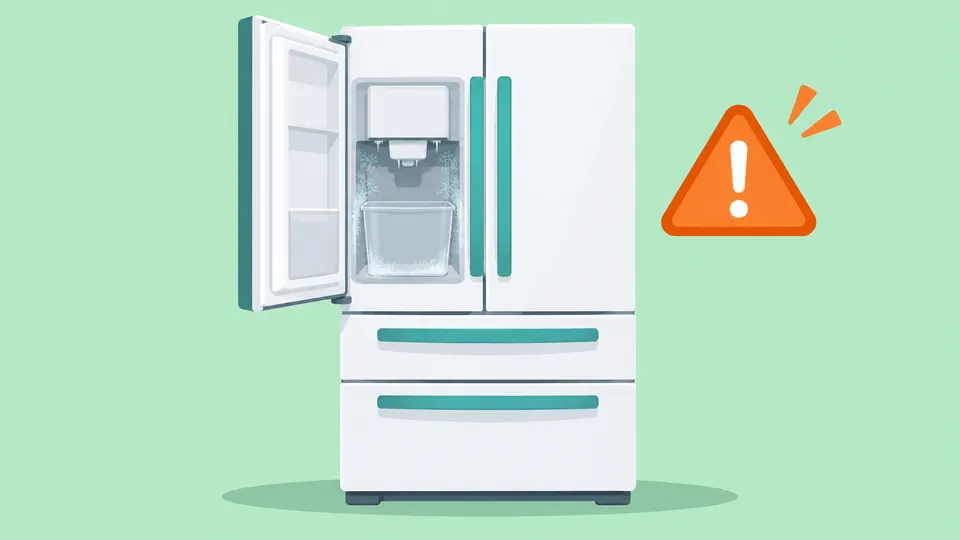
Quick Answer
A Samsung ice maker usually stops because the freezer is warmer than 0°F, the Ice Off setting is on, the bucket is not seated or is frosted, or water pressure is below 20 psi. Fix those, wait up to 3 hours for ice, and use the Test button to reset it. Do not defrost a frozen ice maker yourself; request service.
On this page
Key Takeaways
- Samsung says the freezer must be 0°F or lower; after fixing a cause, ice should resume within 3 hours and full output can take up to 24 hours.
- The Ice Off icon must not be lit, the bucket must be seated, and only ice should be in it.
- Water pressure needs at least 20 psi; on dispenser models 6 oz should fill in under 10 seconds, and filters are rated for about 6 months.
- Reset with the Test button: hold it until a chime (up to 10 seconds); no chime and no movement means unplug for 2 minutes; several chimes means service.
- Do not defrost the ice maker or use a hair dryer on a stuck bucket; a frozen-over ice maker or white wire in the freezer needs service.
Why is my Samsung ice maker not working?
Most Samsung ice makers stop for a short list of reasons: the freezer is warmer than 0°F, the ice maker is switched off, the bucket is not seated or is frosted, or the water supply is below 20 psi. Samsung's own troubleshooting page puts temperature, the Ice Off setting, the bucket and water pressure ahead of any repair [1].
Match what you see to the likely cause:
| What you notice | Likely cause | Start with |
|---|---|---|
| New fridge or recent move, no ice | Not cold enough yet | Step 1 |
| No ice, nothing in the tray | Ice Off is on, or the bucket is not sealed | Steps 2 and 3 |
| Bucket looks full but nothing is made | A scoop or food in the bucket | Step 4 |
| Slow water at the dispenser, tiny cubes | Low water pressure or an old filter | Step 5 |
| Ice maker or bucket frozen solid | Frozen over; see the frozen section below | Frozen section |
How do you fix a Samsung ice maker that is not making ice?
Work down the list and stop when ice returns. These are owner checks from Samsung's page and need no tools. Unplug the refrigerator before you reach into the ice maker area.
Step 1: Check the freezer temperature and give it time
Samsung says the freezer must be at 0°F or lower. If it is warmer, set it to 0°F or colder, turn on Power Freeze, and check again after 3 hours [1]. Samsung also notes that a refrigerator installed within the last 28 hours has not had time to cool, so the cooling guidance does not apply yet [1]. If the whole freezer is warm, ice is only a symptom; see our guide to a refrigerator that is not cooling.
Step 2: Make sure the ice maker is on
The Ice Off icon must not be lit for the ice maker to run. Samsung says top-freezer models use an Ice On icon instead, and the way to switch it varies by model: hold the Ice Maker button, touch Ice Off, or hold Power Freeze or Ice Maker for 3 seconds. Family Hub models use the Fridge Manager screen and SmartThings models use the app [1].
Step 3: Seat the bucket and check for frost
On models with the ice maker in the fridge compartment, the bucket must be fully seated and locked. On freezer-door models, the door must close properly. Samsung also says to look for frost in the freezer or on the bucket [1]. If the bucket is not seated correctly after the door closes, the display may show a flashing Ice Off icon [4].
Step 4: Take everything but ice out of the bucket
Only ice belongs in the bucket. Samsung warns that scoops or food can trigger a "full" signal, so the ice maker stops [1]. On dual cube ice bites models, the scoop holder must sit at the front of the freezer when the bucket is installed [1].
Step 5: Check water pressure and the filter
Samsung gives the minimum water pressure as 20 psi. On a dispenser model, 6 oz (¾ cup) of water should fill in under 10 seconds [1]. If it fails, remove the filter and try again. If water flows well only without the filter, the filter needs replacing. If it still fails, the pressure is too low [1].
For filter models without a dispenser, Samsung says filters are rated for 300 gallons, about 6 months for an average household, and only Samsung filters should be used [1]. Also confirm the home's water supply valve is fully open. Samsung adds that a reverse osmosis system can reduce pressure, in which case a plumber may be needed [1]. Shut off the water before you loosen any line, and if you see water on the floor, read our guide to a refrigerator leaking water.
Step 6: Wait for ice to come back
After fixing the cause, Samsung says ice should resume within 3 hours and full output can take up to 24 hours, about 2 trays every 3 hours. Power Freeze speeds this up, and dispensing some ice now and then helps [1].
How do you reset a Samsung ice maker?
Samsung's reset is the Test button, and it works the same way on every layout, only the button moves. Remove the ice bucket, find the button, then press and hold Test until you hear a chime. Samsung says the chime can take up to 10 seconds [1].
What the result means, from Samsung's reset pages [2] [3] [4]:
- One chime: the ice maker passed the test.
- No chime but you see the ice maker move: the ice maker has been reset.
- No chime and no movement: unplug the refrigerator or turn it off at the circuit breaker for 2 minutes, restore power, and try again.
- Several chimes: the ice maker needs service. Request it through the Samsung Support Center.
The test takes about 6 minutes in the fridge compartment and about 30 seconds in the freezer. When it ends, the water valve should hum and pour water [1]. If the bucket does not click back in, Samsung says to turn the Helix on the fridge-compartment models 90 degrees, or the gear handle on the back of the freezer-door bucket 90 degrees, and try again [2] [4].
Do not press Test again and again after the tray holds ice or water, because the ice maker may overflow or the ice may jam. [2]
What if my Samsung ice maker is frozen?
Do not defrost it yourself. Samsung says the ice maker has automatic defrost, and if that is not working, it needs service [1]. Heat guns and hair dryers are the usual temptation, and Samsung says not to force a stuck bucket or use a hair dryer [1].
Samsung's page sorts the frozen cases like this [1]:
- Stuck bucket: Pull it straight out. Some models need a slight lift first. If it will not come out easily, request service.
- Freezer bucket blocked, with a white wire hanging from the ice maker: request service.
- Blocked, no wire: It was likely a spill. Clear the ice and keep using the fridge. If another block forms, request service.
- Ice maker covered in a sheet of ice: request service.
On SmartThings-connected Family Hub and smart refrigerators, Samsung says a firmware update can help prevent and sometimes resolve freezing, so keep the refrigerator connected [1].
Why is it making too little ice or bad ice?
If the ice maker works but output is low, compare it with what Samsung expects. A fridge-compartment ice maker should make 1 tray every 45 to 65 minutes, and a freezer-compartment one 1 tray every 85 minutes. A full-size tray makes 8 cubes and a counter-depth tray makes 6 [1].
The ice maker holds up to 2 lb of ice, and piled-up ice stops production, so shift ice forward or dispense often. Samsung also says to level the refrigerator, keep the doors closed, and check the error code guide first, since an error code can mean service [1]. You can look up codes with our error code lookup.
Ice quality has its own causes [1]:
| Ice problem | Samsung's explanation | What to do |
|---|---|---|
| Cloudy ice | Normal; fast freezing traps minerals and gases | Nothing |
| Small or shattered cubes | Pressure below 20 psi | Open the valve, check for kinks, test without the filter |
| Dark flecks | Not normal: bad filter, dirty line or damaged bucket | Flush a few gallons, replace the filter, service if it persists |
| Clumped ice | Ice not dispensed often | Dump the ice every other week |
| Slushy or frosty ice | Usually frost in the bucket | Fix the frost |
When should you call Samsung service?
Samsung says to request service through the Samsung Support Center when [1]:
- there is still no ice after 3 hours of troubleshooting
- the Test button does nothing after a correct press and a power cycle
- the bucket is frozen in place, a white wire shows, or the ice maker is iced over
- there is visible damage, or dirty ice continues after a new filter
- an error code appears
Parts inside the refrigerator, such as the water inlet valve or the ice maker assembly, are technician work. If the water line is the suspect and the ice maker has never worked since the line was last adjusted, Samsung says to confirm 20 psi with a plumber first [1].
For other brands, see our Whirlpool ice maker guide and Frigidaire ice maker guide. You can also browse all refrigerator guides and our Samsung repair guides.
Frequently Asked Questions
How do I reset my Samsung ice maker?
Remove the ice bucket, find the Test button (its location depends on the ice maker type), and press and hold it until you hear a chime, which can take up to 10 seconds. If there is no chime and no movement, unplug the refrigerator or turn off the breaker for 2 minutes and try again. Do not press Test repeatedly once the tray holds ice or water.
Why is my Samsung ice maker not making ice?
Samsung lists a freezer warmer than 0°F, the Ice Off setting, a bucket that is not seated or is frosted, food or a scoop in the bucket, and water pressure below 20 psi or an old filter. Fix the cause and allow up to 3 hours for ice to resume.
Why is my Samsung ice maker frozen?
Samsung does not name a single cause; it says the ice maker has automatic defrost, and if that is not working it needs service. Do not force the bucket or use a hair dryer. A white wire hanging from the freezer ice maker, or a sheet of ice over it, also means requesting service.
How much ice should a Samsung ice maker make?
Samsung says a fridge-compartment ice maker makes 1 tray every 45 to 65 minutes and a freezer-compartment one 1 tray every 85 minutes. A full-size tray makes 8 cubes and a counter-depth tray 6. The ice maker holds up to 2 lb of ice.
Our Take
Our Take: we think most Samsung ice maker complaints come down to cold, switches and water. Samsung's own page starts with 0°F, the Ice Off icon, a seated bucket and 20 psi, and those are the checks we would do first, in that order, before blaming a part. We would also take Samsung's warning about frozen ice makers seriously: the maker has automatic defrost, so chipping, heating or forcing the bucket usually just adds damage. If the Test button gets no response after a power cycle, or you see several chimes, a white wire or a sheet of ice, that is a service call, and we would not try to keep troubleshooting inside the refrigerator.
Sources
- Samsung ice maker is not working. Samsung Electronics America.
- Reset the ice maker in the fridge compartment or Side-by-Side freezer. Samsung Electronics America.
- Reset the ice maker in the bottom freezer. Samsung Electronics America.
- Reset the ice maker in the back of freezer door. Samsung Electronics America.
Repair information is general guidance. Unplug the appliance and shut off water or gas before working on it, follow your owner's manual, and call a qualified technician for gas, refrigerant or high-voltage work. Spotted an error? Tell us.
Related Fixes
Whirlpool Ice Maker Not Working: Step-by-Step Checks
Whirlpool ice maker not working? Check that it is on, set the freezer to 0 to 5°F, inspect the filter, water line and pressure, and clear jammed or clumped ice.
Frigidaire Ice Maker Not Working: Step-by-Step Checks
Frigidaire ice maker not working or not making ice? Check by model type: power, lock, freezer temperature, filter, water line, reset and when to call

Refrigerator Not Cooling but Freezer Works? Start Here
Fridge warm but freezer cold? Check the thermometer, settings, vents, door seals and coils, look for frost or a silent fan, and learn when to call a pro.
Refrigerator Leaking Water Inside or Underneath? Find the Source
Refrigerator leaking water? Find where it pools, then check the defrost drain, door seals, level, water line, filter, drain pan and dispenser before you call.
Samsung Refrigerator Not Cooling? Settings, Airflow and Defrost Checks
Samsung fridge not cooling? Turn off demo mode, power cycle, check airflow and door seals, read 21E, 22E and 5E codes, and know when to request service.
LG Refrigerator Not Cooling: Linear Compressor and Other Causes
LG fridge not cooling? Turn off demo mode, decode Er FF, Er rF and other LG codes, check settings and airflow, and learn what LG's compressor warranty covers.