Samsung Dishwasher LC Code: Finding the Leak
Quick Answer
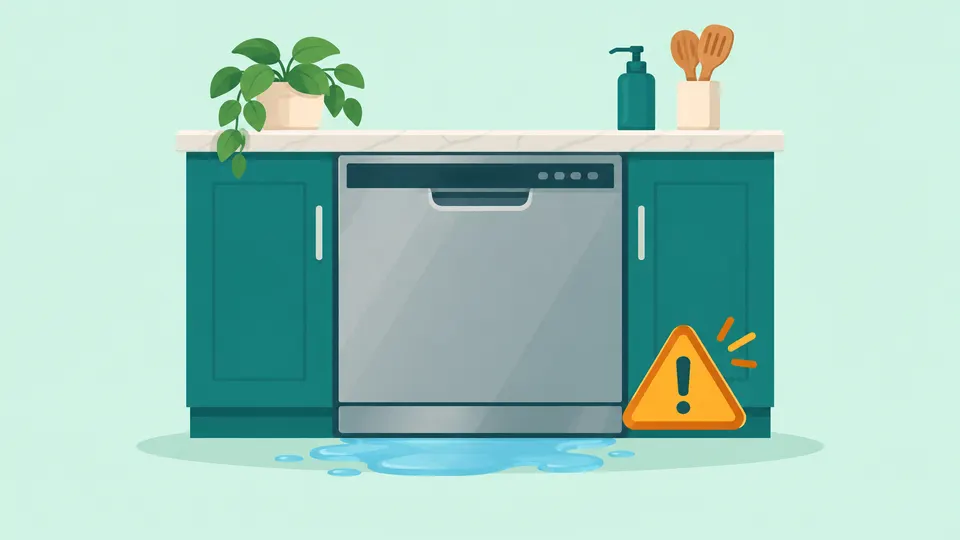
An LC or LE code on a Samsung dishwasher means its leak sensor has detected moisture in the base of the unit. The dishwasher then runs its drain pump and will not switch off. Turn off the circuit breaker, look for a leaking hose, a displaced door seal or too much detergent, fix the source, and let the base dry. If the code returns, request Samsung service.
On this page
- What does the LC code mean on a Samsung dishwasher?
- Why does a Samsung dishwasher show the LC code?
- How do you fix the Samsung dishwasher LC code?
- How do you dry the leak sensor area safely?
- When should you call Samsung service for an LC code?
- How can you keep the LC code from coming back?
- Frequently Asked Questions
- Our Take
- Sources
Key Takeaways
- LC and LE are the same Samsung leakage error: moisture has reached the leak sensor under the tub.
- Samsung's US checks are the supply hose, the drain hose, the door seal, the detergent type and amount, the level, the tub sides and the spray nozzles.
- Ordinary dish soap or an overfilled dispenser can cause LC, because suds escape and detergent is moist enough to trip the sensor.
- Turn off the breaker and close the water supply valve before you touch a hose, and never move, unplug or disable the leak sensor.
- If LC returns after the base has dried and the checks are done, or water comes from inside the dishwasher (pump, sump or an internal hose), request Samsung service.
What does the LC code mean on a Samsung dishwasher?
LC is Samsung's leakage error. Samsung's US error code page lists LC and LE together and says the code appears when "the dishwasher's leak sensor detects moisture." When that happens, the dishwasher "will turn itself on and will not turn off," and it tries to drain the water away [2]. That is why an LC dishwasher can hum with the pump running even after you press Power.
Samsung does not say which models display LC and which display LE. Its regional guide says the same troubleshooting applies to "most Samsung dishwasher models," naming the DW80K, DW50R and DW80N series [4]. Whichever variant your display shows, the checks below are the same. If you are not sure which appliance or brand a code belongs to, try our error code lookup.
Do not confuse LC with 1E. On a Samsung dishwasher, 1E or IE is not a leak code. On Waterwall models it means water is not passing through the filter, and on Rotary models it means the interior is too hot [2].
Why does a Samsung dishwasher show the LC code?
The most common cause of an LC code is real water in the base pan, even a small amount. iFixit's community repair wiki says the sensor can detect about 45 milliliters and sometimes as little as 10 milliliters [7]. The water can come from outside the tub, such as a hose fitting, or from inside it, such as suds or spray pushed past the door seal.
| Cause | What you may notice | First fix | Who fixes it |
|---|---|---|---|
| Dish soap or too much detergent | Heavy suds when you open the door | Use only dishwasher detergent; do not overfill the dispenser | You |
| Too much rinse aid | Spilled or overfilled rinse aid | Wipe up excess rinse aid | You |
| Door seal out of its channel | Drips along the bottom of the door | Push the seal back into place and clean it | You; service if damaged |
| Dishwasher not level | Water pools at the door; door bumps cabinets | Adjust the leveling legs | You |
| Food in the spray nozzles | Spray hits the door instead of the dishes | Clean the nozzles, jets and filter | You |
| Loose or leaking supply hose | Moisture along the hose or at its fittings | Tighten or replace the hose | You or a plumber |
| Drain hose leak | Water at the sink drain or disposal connection | Reconnect it correctly | You or a plumber |
| Recent move | Code appears after the dishwasher was moved | Let splashed water near the sensor dry | You |
| New garbage disposal hookup | Code after connecting to a new disposal | Make sure the disposal cap is removed | You or the installer |
| Worn pump seal or a tub leak | Water keeps collecting with no outside source | Stop using it and request service | Samsung service |
Detergent and suds. Samsung's US leak guide says dish soap creates suds that can escape the dishwasher, and that detergent "is moist enough to activate the moisture sensor" if the dispenser is overfilled [1]. Samsung's regional code guide adds excess rinse aid and a damaged dispenser to the list [5].
The door seal, level and spray. Samsung says the seal can slip out of its channel, a low front lets water pool at the door, and food in the nozzles can send spray past the seal [1]. Over-tightened cabinet screws can also bow the tub sides. Samsung says to measure the tub from side to side exactly where the screws are; it should be exactly 22 inches, and if it is more, loosen the cabinet screws until it is corrected [1].
Hoses and connections. Samsung lists a loose supply hose connection and a hole in the supply or drain hose as leak causes [5].
Waterwall models. If your dishwasher has the Waterwall reflector, Samsung says to check that nothing blocks it [2]. A pot handle, large knife or ladle can hold it in place [3].
How do you fix the Samsung dishwasher LC code?
Work through the checks in order. Turn off the dishwasher's circuit breaker and close its water supply valve before you touch a hose or look under the unit. Samsung's US guide says to unplug the dishwasher or turn it off at the breaker, because it will not shut itself off until the moisture is gone [1]. Closing the water valve, usually under the kitchen sink, is our own precaution so a loose fitting cannot keep feeding water.
Step 1: Cut the power and the water
Switch off the breaker, or unplug the dishwasher if you can reach its plug. Then close the supply valve and keep towels nearby. Samsung advises against simply resetting or clearing a code before you troubleshoot it, because the underlying problem may still be there [2].
Step 2: Look for a visible leak
Wipe up any water, then, with the power still off, check the supply hose at both ends and along its length. Samsung notes that the supply hose is sold separately and is not covered by service, and it recommends a 3/8 inch stainless steel hose [1]. A drain hose that leaks where it meets your sink or disposal is usually fixed by reconnecting it correctly. Samsung sends leaks anywhere else on the drain hose to service.
Next, run a finger around the door seal. If it has slipped out of its channel, push it back, and clean it with a towel and mild soap. If it is torn, request service [1].
Step 3: Check detergent, rinse aid and the disposal cap
If you see no leak, look at what went into the dispenser. Use only detergent made for dishwashers, never hand dish soap, and do not overfill the dispenser or add detergent anywhere else. If the dishwasher was recently connected to a garbage disposal, Samsung says to make sure the disposal cap has been removed, or water "can get where it doesn't belong" [1]. Our guide to a dishwasher that is not draining explains that knockout plug, and our garbage disposal guide covers the disposal itself.
Step 4: Level the unit and clean the spray path
Check the dishwasher with a level, side to side and front to back, and adjust the leveling legs if needed [4]. Remove food from the spray arms and nozzles, and clean the filter if it is clogged with food [5].
Step 5: Let it dry, then test
Samsung's last steps are to give splashed water time to dry, restore power and check for the error [1]. Open the water valve and run a cycle. Samsung's leak test is the same: if no water reappears after a new cycle, the earlier water was a spill rather than a leak [1].
How do you dry the leak sensor area safely?
Samsung's US guide says only to "give it time to dry" when water may have splashed near the sensor underneath, and it gives no drying time [1]. Samsung's regional guide says to wipe down the sensor area under the dishwasher and let it dry completely [4]. We found no Samsung instruction to tilt or tip a dishwasher to drain the base, so we do not suggest it. A built-in unit is fastened to the cabinets and connected to water, drain and power.
If you can reach standing water in the base pan, iFixit suggests soaking it up with a rag or paper towel pushed along with a dowel [7]. Keep the breaker off the whole time. In our view, water and the dishwasher's electrical connection under the unit are a shock risk, so never reach under a powered dishwasher or touch its wiring.
Never move, unplug, tape over or otherwise disable the leak sensor to clear the code. iFixit warns that relocating the leak detector out of the pan can lead to "considerable water damage," because the dishwasher may really be leaking [7]. The code is often your first warning before water reaches your floor and cabinets.
When should you call Samsung service for an LC code?
If LC returns after the base has dried and the outside checks are done, turn off the breaker and request Samsung service. Samsung's US guide ends both its visible-leak and no-visible-leak steps with a service request [1]. Samsung's regional code guide sends a drain pump leak from worn gaskets and a defective tub to the service center [5]. iFixit adds loose sump screws as a source of leaks inside the base [7].
Call for service, and keep the breaker off, when:
- water keeps collecting in the base after the hoses, seal, detergent and level all check out
- you can see water coming from the pump, sump or an internal hose
- the door seal or dispenser is damaged
- the code appeared right after installation (call the installer first)
For a new dishwasher, Samsung Canada says the installer should check a unit that leaks or shows an error first, and warranty service does not cover installation problems [6]. If the water comes from a household pipe or the sink drain, call a plumber. We do not recommend opening the base or replacing a pump yourself unless you are trained.
Other brands use their own leak codes. LG's version is the LG dishwasher AE code. If your Samsung shows a drain code instead, see our guide to a dishwasher that is not draining. You can also browse every Samsung appliance guide or all dishwasher repair guides.
How can you keep the LC code from coming back?
- Use only dishwasher detergent, in the right amount. Never top up with hand dish soap, and wipe up spilled rinse aid.
- Clean the filter and spray nozzles regularly. Food in the spray path can push water toward the door. A clean filter also helps with a dishwasher that smells.
- Load so nothing blocks the spray or the Waterwall reflector. Keep large utensils and pot handles clear of it.
Frequently Asked Questions
Are LC and LE the same code on a Samsung dishwasher?
Yes. Samsung lists LC and LE together as the leakage error. Both mean the leak sensor detected moisture. Samsung does not say which models show which variant, so follow the same steps for either.
Why won't my Samsung dishwasher turn off with an LC code?
That is how the leak code works. Samsung says the dishwasher turns itself on, will not turn off and tries to drain the water. Turn it off at the circuit breaker while you look for the leak.
Can an LC code appear with no water on the floor?
Yes. The sensor sits in the base pan under the tub, so a small amount of water can trip it before any reaches the floor. Samsung also says detergent from an overfilled dispenser is moist enough to set it off.
Our Take
We think LC deserves more caution than most Samsung codes, because it is often the dishwasher's first warning before water reaches your floor and cabinets. In our view the detergent checks are the most useful part of Samsung's guidance: hand dish soap and an overfilled dispenser are easy to rule out, and Samsung says either one can set off the sensor without any broken part. We would turn off the breaker and the water first, check the hoses, seal, level and detergent, and let the base dry before testing again. If LC comes back after that, we would leave the base closed and book Samsung service rather than touch the sensor.
Sources
- Samsung dishwasher is leaking or has a leakage error code. Samsung Electronics America.
- Samsung dishwasher is displaying an error code. Samsung Electronics America.
- Waterwall reflector error code 7E on Samsung dishwasher. Samsung Electronics America.
- How to Fix LE or LC Error Codes on Your Dishwasher. Samsung UAE, 2026.
- What Do Samsung Dishwasher Error Codes 5C/5E, 4C/4E, and LC/LE Mean?. Samsung UAE, 2026.
- Steps to stop your Samsung dishwasher from leaking. Samsung Canada, 2026.
- Samsung Dishwasher LC Code. iFixit.
Repair information is general guidance. Unplug the appliance and shut off water or gas before working on it, follow your owner's manual, and call a qualified technician for gas, refrigerant or high-voltage work. Spotted an error? Tell us.
Related Fixes
Dishwasher Not Draining? How to Find and Fix the Cause
Dishwasher not draining? Clean the filter, then check the sink, disposal knockout plug, drain hose and air gap. Brand drain codes and when to call service.

LG Dishwasher AE Code: Leak Sensor Fixes
LG dishwasher AE code means water reached the base pan and tripped the leak float. Fix suds, level the unit, clean the door gasket, dry the pan, then retest.
Bosch Dishwasher E24 Error: Clearing the Drain
Bosch dishwasher E24 means water is not draining. Clean the filter, check the pump cover, hose, air gap and disposal plug, then reset. Call Bosch if it returns.
Why Does My Dishwasher Smell? How to Get Rid of It
Why does your dishwasher smell? Match the odor to its cause, clean the filter, spray arms and door seal, check the drain, and know when a smell means service.
Garbage Disposal Not Working? 7 Fixes to Try First
Garbage disposal not working? Check power and the reset button, free a jam with the hex wrench, clear a clog, and know when a disposal needs replacing.