LG Washer LE Code: Motor Lock Error Explained
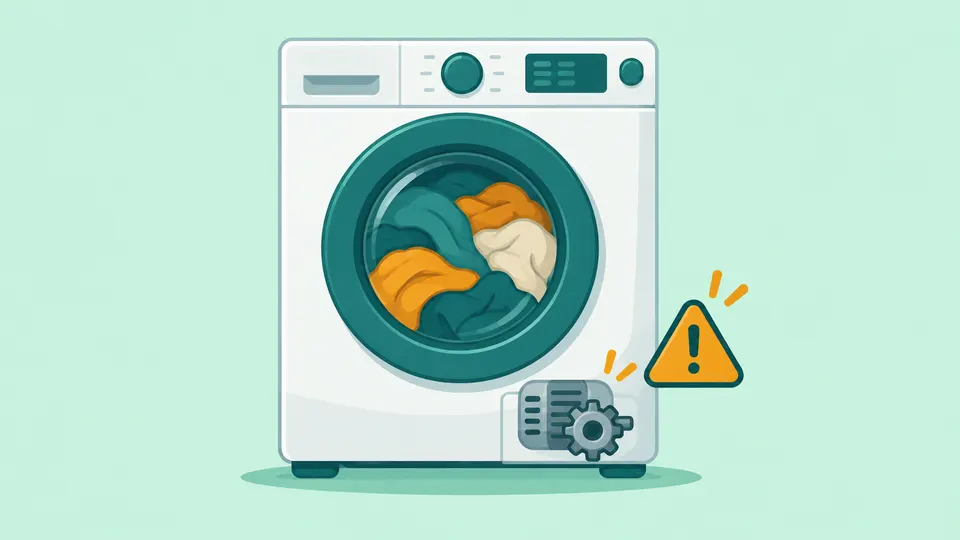
Quick Answer
An LE code on an LG washer is a motor lock error: the motor cannot turn the drum, usually because the washer is overloaded or a coin or other object is stuck between the drum and the tub. LG's fix is to unplug the washer for 5 minutes, reduce the load, and remove any trapped object with pliers or tweezers. If LE keeps returning, call LG service.
On this page
Key Takeaways
- LE means the drum cannot turn because the motor is locked or strained. LG names two main causes: an overloaded washer and a foreign object stuck in the tub.
- On LG top-load washers, LE1 and AE belong to the same drum rotation group. On front-load models, AE is a leak code, not a motor code.
- Unplug the washer before you reach into the drum. Remove coins and pins with pliers or tweezers, never with bare fingers in a tight gap.
- LG's resets are a 5-minute unplug and, after heavy back-to-back use, a 30-minute rest to let the motor cool.
- If LE returns with a normal load and an empty, clear drum, the motor, its sensor or the control board need an LG technician.
What does the LE code mean on an LG washer?
LE is LG's locked motor error. LG's front-load error list says "An LE error code is displayed when the tub fails to spin," and that the motor "can't operate properly because you've overloaded the washing machine, or a foreign object is stuck in the tub" [1]. LG Canada's page spells the code out as a "LOCKED motor Error" [5].
LG's general washer code list puts it more bluntly: the code "means the motor is overloaded and locked" [3]. In plain terms, the washer asked the motor to turn the drum, the drum did not move as expected, and the control stopped the cycle to protect the motor.
That is why we rate LE as a caution code rather than a simple reset. Most cases come from the load or a small object, which you can fix yourself. A smaller share points to a part inside the cabinet, which you should not open.
Does LE mean the same thing on front-load and top-load models?
Mostly yes, but the codes around it differ, and this is where many owners get confused. LG's top-load error list groups AE, LE and LE1 together as a "rotation error." It says LE and LE1 "may appear when the motor is stuck," while AE appears "when the gears responsible for rotating the drum cannot operate properly" [2].
On LG front-load washers, AE means something else entirely. LG's front-load list says AE "indicates a problem with a leakage inside the appliance" and that a safety switch has activated to prevent flooding [1]. That front-load list does not include LE1 at all.
So check which style of washer you own before you act on a code you read online. LG also notes that its code guides were written for all models, so the content may differ from your product [1]. Your owner's manual is the final word for your model, and our error code lookup lists the meanings by brand and appliance.
What causes the LE error?
LG's pages name three causes, and two of them account for nearly all of the advice.
| Cause | What it looks like | What LG says to do |
|---|---|---|
| Overloaded drum | Drum packed tight, or one heavy item such as a large blanket | Reduce the load; use the Bedding cycle for heavy or large items |
| Foreign object | A coin, pin or clip caught in a drum hole or in the gap between drum and tub (or under the wash plate on top-loads) | Turn the power off, unload, and pull it out with pliers or tweezers |
| Continuous running | Several loads run back to back | Let the washer rest so the motor can cool, then restart |
| No visible cause | LE returns with a light load and a clear drum | Unplug and request LG service |
Overload. LG says that when you overload the washer, "the tub may not spin because the motor is strained," and it recommends smaller loads and the Bedding cycle for a heavy load or large blankets [1].
Coins and other objects. On top-load models, LG says a coin or foreign object caught between the drum and the wash plate can interfere with the gear or motor [2]. LG Canada tells front-load owners to check the drum holes for coins or metal pins [5]. Empty pockets before every load; it is the cheapest way to prevent LE.
Continuous operation. LG's Saudi Arabia support page lists running the machine continuously as a cause, next to too much laundry and trapped coins [6]. If you ran several heavy loads in a row before LE appeared, heat is a likely factor.
Rubber-backed rugs. LG Canada also warns against washing bath rugs with a liner, non-slip backing or rubber mat, because the rubber can break apart and block the drain pump [5]. That page lists the warning with its LE steps, so treat a heavy, stiff rug as both an overload risk and a drain risk.
Can too much detergent cause an LE code?
LG does not list detergent or suds as a cause of LE on any of the LE pages we reviewed. Heavy suds have their own signal: on front-load models, LG says the washer shows a suds code and "adds a suds reducing cycle" when it detects too many suds [1]. Still, if the drum is full of foam when LE appears, measure your detergent. LG says to switch to HE detergent if you are not already using it, and to use less in soft water [7].
How do you clear the LE code safely?
Unplug the washer before you put your hands in the drum or tub; a reset or a cycle that restarts while your fingers are in a gap can injure you. Then work through these steps in order. Stop as soon as a cycle finishes without LE.
Step 1: Stop the cycle and unplug
Pause or turn off the washer and let the door or lid unlock on its own. Never force a locked door and never try to defeat the door lock; it is there to keep hands away from a drum that may still move. Once the door opens, unplug the power cord.
Step 2: Lighten the load
Remove some of the laundry and spread the rest loosely. LG says to reduce the wash load and select the Bedding cycle for a heavy load or large blankets [1]. If a single comforter caused LE, wash it alone next time.
Step 3: Find and remove trapped objects
With the washer still unplugged and empty, look into the drum holes and the gap between the drum and the outer tub. On top-load models, LG's LE and LE1 guide says to check whether a coin or foreign object is caught in the washboard, the plate at the bottom of the drum, and to remove it with a suitable tool such as pliers or tweezers [4]. Pull the item out; do not push it deeper, and do not pry the wash plate or drum apart.
Step 4: Power-cycle, and let a hot motor rest
LG's LE steps say to "Unplug the power cord, wait 5 minutes, and try the cycle again," since that may help with a temporary error [1]. LG Canada's version adds pressing and holding POWER for 15 seconds while the washer is unplugged to drain residual power [5].
If the washer has been running load after load, give it longer. LG's front-load guidance says to let the appliance rest for 30 minutes to cool down, then restart the washing cycle. [3]
Step 5: Run a test cycle
Plug the washer back in and start a short cycle with a normal, loose load. If it washes and spins, the cause was the load, an object or heat. If LE comes straight back, move on to the next section.
When is the LE code a job for a technician?
Call for service when LE returns after you have lightened the load, cleared the drum and power-cycled the washer. LG's front-load list says that if the washer keeps displaying the code, you should unplug the power cord and contact the LG service center [1]. For top-loads, LG says to request service if there is no trapped object but noise occurs and drum rotation is still affected [2].
LG's LE pages do not name a failed part. In our reading, once the load, objects and heat are ruled out, what remains is inside the cabinet: the motor's rotor and stator, the sensor that tells the control how fast the motor is turning, the wiring between them, or the control board. Motor, rotor, stator, sensor and control board work belongs to a qualified technician, because it means opening the cabinet near live wiring and heavy moving parts. We would not order parts on a guess.
Signs that, in our view, point toward service rather than another reset:
- LE appears with an empty drum, or on the very first spin of a light load.
- You hear grinding, scraping or a hum from the motor area while the drum stays still.
- The drum will not turn by hand when the washer is unplugged and empty, and you can find no object.
- LE returns every cycle, even after a 30-minute rest.
Write down your model number, the exact code, and what you already tried. That speeds up an LG service request and helps any independent technician too.
How is LE different from other LG washer codes?
LE is about the drum's rotation, so it is easy to confuse with codes that also stop the spin. The quick way to tell them apart:
- UE means an unbalanced load. The drum turns, but the washer slows the spin because the laundry is off-center.
- OE means the washer cannot drain. It will not spin while water is still in the tub.
- IE means water is not coming in, so the cycle stalls before the wash.
- AE depends on the washer: a leak on front-loads, a drum gear rotation fault on top-loads, as covered above.
The letters also change meaning across appliances. On LG dishwashers, LE points to the cleaning motor and LG says it "requires inspection from a service technician" [8]. The dishwasher AE code has its own guide.
If your washer will not spin and shows no code at all, our washer not spinning guide covers the general checks. You can also browse all LG appliance guides or every washer repair guide.
Frequently Asked Questions
What is the difference between LE and LE1 on an LG washer?
LG's top-load error list groups them together and says both may appear when the motor is stuck. LG does not explain a difference between the two on its US pages, and its front-load list does not include LE1. Treat both the same way: lighten the load, clear any object, power-cycle, then call service if it returns.
Can I keep using my LG washer after an LE code?
Yes, if the code clears after you reduce the load, remove any trapped object and power-cycle the washer. If LE comes back on every cycle, unplug the washer and contact LG service, as LG advises, rather than resetting it again and again.
Does an LE code mean the motor is broken?
Not usually. LG's pages point first to an overloaded drum and to coins or other objects stuck in the tub, and both are owner fixes. A failed motor, sensor or control becomes likely only when LE returns with a light load and a clear drum.
Our Take
We think LE sounds worse than it usually is. LG's own pages put an overloaded drum and a trapped coin first, and both take minutes to fix with the washer unplugged. In our view the most useful thing an owner can know is the model difference: on an LG top-load, LE, LE1 and AE are all rotation codes, while on a front-load AE is a leak warning that needs a different response. We would always unplug before reaching into the drum, use pliers instead of fingers in a gap, and give a hard-working washer its 30-minute rest before blaming a part. If LE survives all of that, we would book LG service rather than open the cabinet.
Sources
- LG Front Load Washer - Error Code List (New). LG Electronics.
- [LG Top Load Washer] Error Code List. LG Electronics.
- LG Washer - Error Code List. LG Electronics, 2026.
- LG top load washing machine error codes LE and LE1 motor spinning errors are displayed. LG Electronics, 2025.
- LE Error Code. LG Electronics Canada, 2025.
- [LG Front load washing machine error code] UE (imbalance) error is displayed. LG Electronics, 2025.
- Too Many Suds in Washing Machine. LG Electronics, 2026.
- [LG Dishwasher] Guide to Error Codes. LG Electronics, 2025.
Repair information is general guidance. Unplug the appliance and shut off water or gas before working on it, follow your owner's manual, and call a qualified technician for gas, refrigerant or high-voltage work. Spotted an error? Tell us.
Related Fixes
LG Washer UE Code: Why Your Load Is Unbalanced
LG washer UE code means the load is unbalanced. See what uE vs UE means, how to spread the load, level the washer, check shipping bolts, and when to call LG.
LG Washer OE Code: What It Means and How to Fix It
LG washer OE code means the washer can't drain. Check the drain hose, run Spin Only, clean the pump filter on front-loads, and know when to call LG service.
LG Washer IE Code: Not Enough Water Coming In
LG washer IE code means the tub did not fill in time. Check the taps, kinked hoses, inlet filters, water pressure, frozen lines and drain hose siphoning.
Washer Not Spinning? 6 Common Causes and How to Fix Them
Washer not spinning? Check the load balance, water left in the drum, the lid or door lock, the spin setting and leveling first. Top-load vs front-load tips.
Samsung Washer 4C Code: Water Supply Problems Explained
Samsung washer 4C (also 4E, nF) means water isn't filling the washer correctly. Check the taps, hoses and inlet screens, then know when to call Samsung service.