LG Washer UE Code: Why Your Load Is Unbalanced
Quick Answer
A UE code on an LG washer means the load is unbalanced: the laundry has bunched to one side, the drum holds too much or too little, or the washer is not level. LG's fix is to pause the cycle, spread the laundry evenly, keep the drum about two-thirds full, and level the washer. If UE keeps returning with a normal load, book LG service.
On this page
Key Takeaways
- UE means an unbalanced load on both LG front-load and top-load washers. A small "uE" on many top-loads means the washer is still trying to fix the load itself.
- LG names three causes: laundry piled on one side, an unsuitable amount or type of laundry, and a washer that is not level.
- Bulky single items, a lone laundry net and very small loads are common triggers. Wash duvets one at a time on the Duvet or Blanket/Duvet cycle.
- On a new washer, check that the shipping bolts were removed. Unplug the washer before you move or tilt it.
- If UE returns after you have balanced the load and leveled the washer, LG says to contact service.
What does the UE code mean on an LG washer?
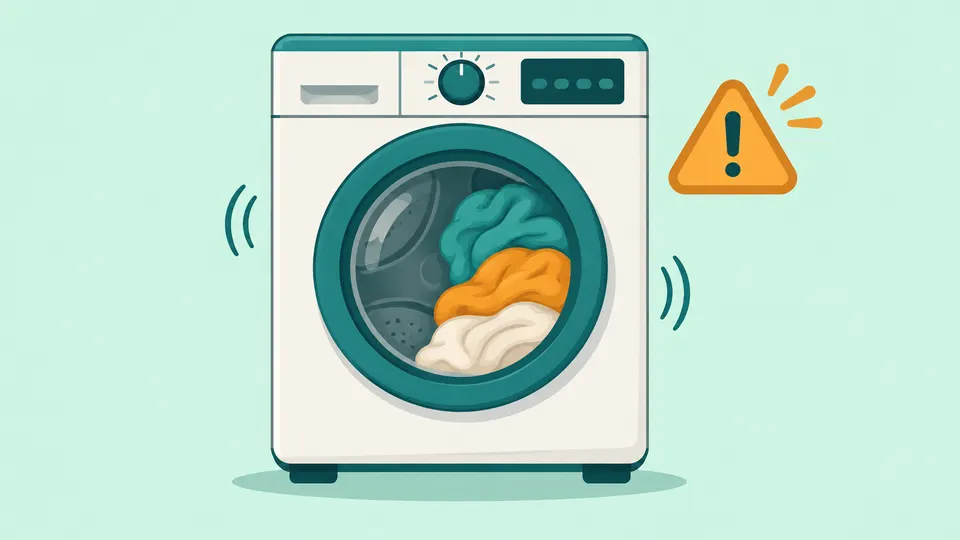
UE is LG's unbalanced-load error. On front-load models, LG says it "occurs when the laundry is piled up on one side of the drum," and that a load that is too large or too small can cause it too [1]. On top-load models, LG says the code appears "when laundry bunches up on one side of the tub or when the washer is not level" [2].
LG's front-load and top-load pages describe the same cause. For its SideKick pedestal washer, LG's code guide adds that the washer checks each load for balance before the spin, tries to adjust a load that is too far out of balance, and shows UE and pauses when it cannot [4]. The reason is simple physics: a wet towel stuck to one side is a heavy, off-center weight, and spinning it fast would shake the whole cabinet.
uE vs UE: lowercase and uppercase
The case of the letters matters on many LG top-load washers. LG's washer code guide says a small "uE" means the washer has detected an unbalanced load and is trying to rebalance it by adding water, and that it will try up to three times on its own. A capital "UE" with the cycle paused means the washer could not balance the load by itself and needs you to rearrange it. [4]
LG's top-load list describes the same process in cycles rather than retries: balancing can take up to two cycles and add about 10 minutes [2]. So a lowercase uE that clears by itself is normal; you only need to step in when the capital UE appears.
On front-load models, LG's guide also notes that a UE at the end of a cycle means the clothes are too wet [4]. Our interpretation: the washer gave up on its final high-speed spin to protect itself, so the laundry did not get spun out.
The same two letters mean a similar fault on other brands. Samsung washers also use UE, along with codes such as Ub and U6, for an unbalanced load [7]. If you are not sure which code you have, look it up in our error code lookup.
What causes an LG washer UE error?
LG's front-load UE page lists three causes: the laundry is out of balance, an unsuitable amount of laundry is in the tub, or the washer is not level [3]. In practice, the type of load matters as much as its size.
| Cause | What you may notice | First fix |
|---|---|---|
| Laundry bunched on one side | Load wrapped around the agitator or wash plate, or stuck to one side of the drum | Pause, spread the items evenly, resume |
| Load too small | One towel, one pair of jeans or one knitted item | Add one or two similar items |
| Load too large or tangled | Drum packed to the top; sheets twisted together | Remove some items, keep about 2/3 full |
| One bulky item | Duvet or comforter | Wash it alone on the Duvet or Blanket/Duvet cycle |
| Padded jacket | Puffer or down jacket | Sportswear cycle or Mid spin; keep it fully under water on top-loads |
| Mixed heavy and light items | Jeans with T-shirts | Wash heavy and light items separately |
| Washer not level or floor unstable | Washer rocks, walks or bangs during spin | Adjust the leveling legs |
| Shipping bolts still in (new washer) | Severe shaking from the first load | Remove the bolts and cap the holes |
Small and mixed loads. LG says that on small loads, even distribution "does not happen as easy as on normal loads," and that mixed fabric loads such as jeans and T-shirts can cause unbalanced rotation of the drum [4]. Its top-load list says a single knitted item can cause an imbalance, so wash at least two at a time [2].
Bulky and unsuitable items. LG's front-load page says to remove the stuffing from pillows and cushions and wash only the covers. It also warns that waterproof fabrics, foot mats and stuffed animals may damage the washer [3].
Laundry nets and laundry balls. Washing just one laundry net can unbalance the tub and trigger UE; fill each net only two-thirds full and wash it with other clothes. LG's top-load list also warns that too many laundry balls at once can cause vibration and noise [2].
How do you fix the LG washer UE code?
Start with the load, because LG lists it first and it needs no tools. Then move to leveling.
Step 1: Pause and spread the load
Press Start/Pause and wait for the door or lid to unlock. A front-load door may stay locked while there is water in the drum, so never force it. LG says to remove the laundry and put it back in, spreading it evenly, and to choose a suitable spin intensity [3]. Untangle sheets and pull long items out of any knot.
Step 2: Fix the load size
LG's front-load guides say to keep the drum about two-thirds full. [1] For an overloaded top-load tub, LG says to remove some laundry, spread out the rest and resume the cycle; for a small load, add more items and spread them evenly [2]. LG's code guide suggests adding one or two similar items or smaller pieces of clothing to balance a small load [4].
Step 3: Use the right cycle for bulky items
On front-load models, LG recommends the Duvet cycle for duvets and the Sportswear cycle, or a medium spin, for puffer and down jackets [3]. On top-load models, wash blankets one at a time on the Blanket/Duvet cycle, keep them below the plastic ring at the top of the tub, and make sure padded jackets are fully under water [2].
Then resume the cycle. If the capital UE returns with an evenly spread, two-thirds load, move on to leveling.
How do you level an LG washer to stop UE?
An unlevel washer lets the tub lean, so even a good load ends up off-center. LG's top-load list says that if the floor is not firm, too smooth or sloped, the washer may shift during operation [2].
- Turn the washer off and unplug it before you move it or tip it. Get a helper; a washer is heavy.
- Press down on diagonal corners. LG says to place your hands on diagonal corners and try to rock the washer [5].
- Set a level on top. On front-load models, LG says the bubble should sit in the middle [1].
- Use a wrench (some LG models include one) to adjust the leg on the side the washer tilts toward. LG says to keep the legs as close to the floor as practical [3].
- On a top-load model, look down into the tub. LG says it should be centered, not leaning to one side; if it leans, adjust the legs again [5].
Could shipping bolts cause UE on a new LG washer?
They can cause the shaking that comes with it. LG's vibration guide says shipping bolts are fitted at the rear of the washer to hold the tub in place during transport, and that if they are not removed during installation, "the tub will create excessive noise and vibration during operation" [5]. LG's guide does not tie the bolts to the UE code by name; in our reading, a new washer that shakes hard and shows UE from its first loads should be checked for them first.
To check, open the door and move the tub forward and backward by hand. If the tub does not move, LG says the shipping bolts are still in; remove them from the rear with a suitable wrench and plug the holes with the caps provided. If you cannot remove them, LG says service is required [5]. Unplug the washer before you work at the back of it.
What if the LG UE code keeps coming back?
First, rule the load out. LG Canada's top-load UE guide says that if no noise is heard during the spin cycle while the tub is empty, the washer is operating normally [6]. A quiet empty spin points back to how the washer is loaded.
If UE or heavy shaking continues after you have balanced the load, leveled the washer and confirmed the bolts are out, LG's top-load list says to contact an LG service center [2]. LG's front-load list says a problem that continues after its steps may be a component malfunction that needs an LG technician [1]. LG does not name the part. In our reading, the springs, dampers or suspension that hold the tub, or a sensor, are what is left, and these sit inside the cabinet, so we would leave them to LG service rather than open the washer.
If the washer also won't spin or drain, our guides to a washer that won't spin and the LG OE code cover the overlap. Other LG codes have their own pages: IE for water inlet and LE for the motor. You can browse every LG appliance guide or all washer repair guides.
Frequently Asked Questions
Is uE the same as UE on an LG washer?
They refer to the same unbalanced load, at different stages. On many LG top-load washers, a lowercase uE shows while the washer adds water and tries to rebalance on its own, up to three times. A capital UE with the cycle paused means it could not, and you need to spread the load by hand.
Why does my LG washer show UE with only a few items?
Small loads are harder to balance. A single towel or pair of jeans clumps on one side and throws the drum off. LG suggests adding one or two similar items so the weight spreads around the drum.
Can I keep using my LG washer after a UE code?
Yes, once the load is balanced. UE is a protective pause, not a breakdown. If it keeps coming back with normal, evenly spread loads, or the washer shakes hard even when empty, stop and book LG service.
Our Take
We think UE is one of the easiest LG codes to clear, because LG's own guides point first to the load, not to a broken part. In our view the lowercase uE versus capital UE distinction saves owners the most worry: a washer that is still retrying is working as designed. We would fix the load size and spread the laundry before touching anything else, then level the washer, and on a new machine confirm the shipping bolts are out. We would not buy suspension parts or open the cabinet on a guess; if UE returns with a normal load after those checks, LG service is the next step, as LG advises. Washing bulky items alone on the right cycle helps prevent repeat codes.
Sources
- LG Front Load Washer - Error Code List (New). LG Electronics.
- [LG Top Load Washer] Error Code List. LG Electronics.
- [LG Front load washing machine error code] UE (imbalance) error is displayed. LG Electronics, 2025.
- LG Washer - Error Code List. LG Electronics, 2026.
- LG Washer - Troubleshooting Vibration Issues on an LG Washing Machine. LG Electronics, 2026.
- UE error code - Unbalanced load [top load washer]. LG Electronics Canada, 2025.
- Samsung washing machine information and error codes. Samsung Electronics America.
Repair information is general guidance. Unplug the appliance and shut off water or gas before working on it, follow your owner's manual, and call a qualified technician for gas, refrigerant or high-voltage work. Spotted an error? Tell us.
Related Fixes
LG Washer OE Code: What It Means and How to Fix It
LG washer OE code means the washer can't drain. Check the drain hose, run Spin Only, clean the pump filter on front-loads, and know when to call LG service.
LG Washer IE Code: Not Enough Water Coming In
LG washer IE code means the tub did not fill in time. Check the taps, kinked hoses, inlet filters, water pressure, frozen lines and drain hose siphoning.
LG Washer LE Code: Motor Lock Error Explained
LG washer LE code: the motor can't turn the drum, usually from an overload or a trapped coin. Front-load vs top-load meanings, safe fixes, when to call LG.
Washer Not Spinning? 6 Common Causes and How to Fix Them
Washer not spinning? Check the load balance, water left in the drum, the lid or door lock, the spin setting and leveling first. Top-load vs front-load tips.
Samsung Washer 4C Code: Water Supply Problems Explained
Samsung washer 4C (also 4E, nF) means water isn't filling the washer correctly. Check the taps, hoses and inlet screens, then know when to call Samsung service.