LG Washer IE Code: Not Enough Water Coming In
Quick Answer
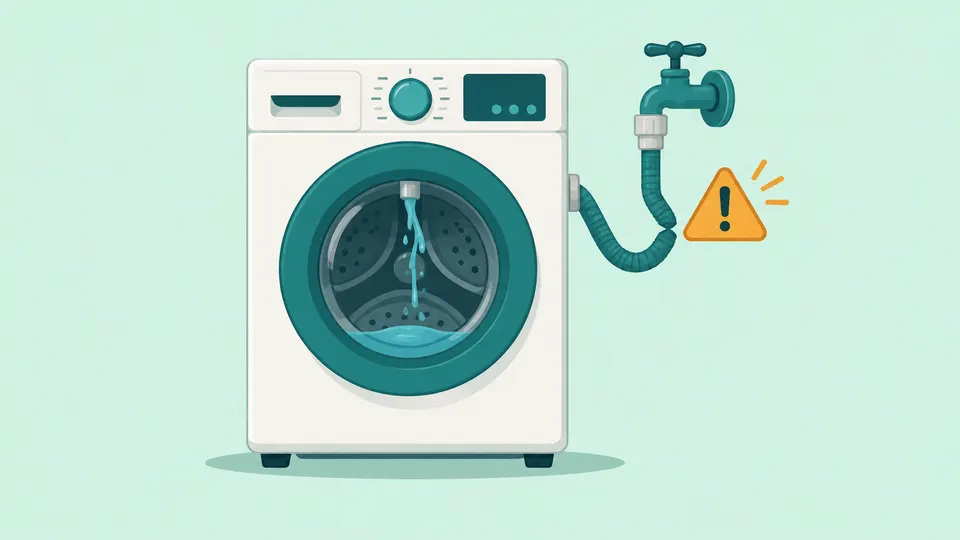
An IE code on an LG washer means the tub did not fill to the right level in the time the washer allows. LG names a closed or half-open tap, a kinked or disconnected inlet hose, clogged inlet filters, low water pressure and frozen lines as the usual causes. Most are owner fixes. If IE returns after every check, LG points to the inlet valve and service.
On this page
Key Takeaways
- IE is LG's water inlet error on front-load and top-load washers. Newer LG front-load lists group it with E02 and E10 as "No Water Supply."
- Check outside the washer first: taps fully open, inlet hoses connected and straight, hot hose on the hot inlet.
- Before you remove a hose to clean its inlet filter, unplug the washer and shut both taps. Expect some water to spill.
- A drain hose pushed too deep into the standpipe, or hanging below the drum's water level, can siphon water out while the washer fills.
- If IE persists after these checks, LG says the inlet valve may be faulty. That is a job for LG service, not a DIY repair.
What does the IE code mean on an LG washer?
IE stands for a water inlet error. LG's front-load code list says it appears "if the tub does not fill to an adequate level within a specified period," and newer displays may show it as E02 or E10 with the words "No Water Supply" [1]. LG's top-load list describes the same thing in plainer words: IE "may be displayed if the drum is not filled to a certain level" [2].
The washer does not measure the tap or the hose directly. It opens its inlet valve, waits, and checks the water level in the tub. Anything that slows or stops that water, or lets it escape, can run out the clock and trigger IE. That is why the causes range from a closed tap to a drain hose on the other side of the machine.
| Front-load LG washer | Top-load LG washer | |
|---|---|---|
| What the display may show | IE, E02 or E10 (No Water Supply) | IE |
| LG's listed causes | Tap off or water cut off, hose bent or not connected, hose frozen | Water outage, closed tap, hose kinked or disconnected, frozen pipes or hose |
| Extra checks LG gives | Hot hose on the hot inlet; drain hose holder in place | Taps fully open; drain hose no deeper than 4 in (10 cm) |
| If it persists | Possible water supply valve fault | Inlet valve may be faulty; contact LG service |
The table draws on LG's front-load and top-load code lists and LG's two IE help pages, cited in the sections below. LG dishwashers also use an IE code for a water supply problem, so make sure the code came from the washer. If you are not sure what a code means, look it up in our error code lookup.
What causes an LG washer IE error?
Every cause sits somewhere on the path the water takes: from the household supply, through the tap and inlet hose, past a small filter screen where the hose meets the washer, through the inlet valve, and into the tub. The drain hose matters too, because water that leaves while the tub fills never counts toward the level.
| Cause | Clue you may notice | First fix |
|---|---|---|
| Tap closed or only partly open | Washer was just moved, installed or the plumbing was worked on | Open both taps fully, counterclockwise |
| Inlet hose kinked, pinched or loose | Washer pushed tight against the wall | Pull it out, straighten the hose, reconnect |
| Hot and cold hoses swapped | Recent install or hose change | Hot hose to the hot inlet, cold to cold |
| Clogged inlet filter screens | Fill has slowed over months | Unplug, shut taps, clean the screens |
| Low household water pressure | Weak flow at other taps too | Check another tap; call a plumber |
| Frozen hose or tap | Error starts on a freezing day | Thaw the hose and tap, or wait for a thaw |
| Drain hose siphoning | Water runs out of the drain while it fills | Reset the hose depth or drain hose holder |
| Inlet valve fault | All checks above pass | Book LG service |
Taps and connections. LG's front-load IE page says to check whether the faucet is turned off or the water is shut off, and notes this often happens after the washer is moved or a boiler is repaired [4]. A tap that is open but not all the way is also a cause: LG's top-load IE guide says the fill time "can take longer than expected" when the taps are not fully open [3].
Bent hoses. A bent supply hose blocks the flow and can cause poor water supply or leaks. LG adds that the washer can move slightly from vibration during washing and spinning, which can pinch a hose that was fine at install [4].
Clogged inlet filters. LG says that over time the inlet filters can become clogged, slowing water flow. [3] Rust, sand and grit from the pipes collect on these small screens, so a fill that has slowly grown weaker points here.
How do you fix an LG washer IE code?
Work from the outside in. The first two checks take a minute and need no tools; only the filter cleaning needs the hoses off.
Step 1: Open the taps all the way
Check that both inlet hoses are attached to the taps and that each tap is fully open. LG says to turn a closed tap counterclockwise to open it [2]. LG also lists a water outage as a cause, so if the house water is off for a repair or an outage, wait for the supply to return and restart the cycle.
Step 2: Straighten the hoses and check hot and cold
Pull the washer away from the wall and look along both hoses. LG says to unbend and straighten the inlet hose; if a kink is severe, close the taps, disconnect the hose and reconnect it straight [2]. Replace a hose that is cracked, bulging or flattened rather than bending it back. On front-load models, LG also says the hot water hose must go to the hot water valve and the cold hose to the cold valve [4].
Step 3: Clean the inlet filter screens
Unplug the washer and shut both taps before you take a hose off; the hoses stay full of water, so keep a towel and a shallow pan ready. LG's top-load IE guide gives the order: turn off the water faucet, disconnect the power cord, unscrew the supply hose from the washer counterclockwise, pull the filter out with pliers, and clean it with a toothbrush under running water before you put it back [3]. LG's front-load list says the same filter can be removed with fingers or pliers to clear rust, sand and stones, and must be refitted before the hose goes back on [1].
Pull gently and straight out so the screen does not tear. Reattach each hose to the same inlet it came from, tighten it by hand, open the taps slowly and look for drips at both ends before you plug the washer back in.
Step 4: Thaw a frozen hose or tap
If IE shows up on a freezing day, the hose or the pipes feeding it may be frozen. LG's front-load list says to disconnect the supply hose and open the tap; if nothing comes out, wrap a towel soaked in hot water around the tap for 5 minutes. Thaw the hose in water of 50ºC or lower and reconnect it only when it is completely free of ice [1]. LG's top-load list gives that limit as below 50ºC (122°F) [2]. Never use an open flame on pipes. If the pipes in the wall are frozen, LG's top-load guide notes that the supply resumes once the temperature rises above freezing [3].
Can low water pressure cause an LG IE code?
Yes. LG's washer code guide says an IE on a top-load model means water is not being supplied "or that the water pressure is too low," and gives the required range: LG says the water pressure must be between 14.5 and 116 psi. [5]
For front-load models, the same guide asks you to make sure the water pressure is adequate; if it seems too low, check another tap in your home and consult a certified plumber [5]. A quick home test is to run the nearest sink or laundry tub: if that flow is weak too, the problem is the house supply, not the washer. Low pressure across the house is a job for a plumber or your water utility, and no amount of filter cleaning will fix it.
Why can a low drain hose cause an IE code?
This is the cause most owners miss, because the drain hose seems to have nothing to do with filling. LG says otherwise. If the drain hose sits too low, water flows out through it while the inlet valve is still filling the tub, so the level never builds.
LG's top-load IE guide says that if the drain hose is installed deeper than 4 inches (10 cm) into the drainpipe, it will cause siphoning as the washer fills [3]. On front-load models, LG warns that removing the drain hose holder drops the hose below the water level in the drum, and that if the end of the hose sits in water, it keeps draining by siphon action [4].
The fixes:
- Pull the drain hose up so no more than 4 inches (10 cm) of it sits inside the standpipe, and secure it so it cannot slip out.
- Keep the end of the hose out of standing water in a laundry tub or floor drain.
- Leave the drain hose holder on the back of the washer in place. LG says that if the hose is too short, buy an extension drain hose instead of taking the holder off [4].
- Do not fix it by going too far the other way. LG's top-load guide also warns against installing the drain hose too high, bent or blocked [3], which can lead to drain errors such as the LG OE code.
In our reading, two clues point to siphoning: you can hear water running into the standpipe during the fill, or the IE started right after the washer was moved or its drain hose was rerouted.
When should you call LG service for an IE code?
Call when the tub still will not fill after the taps, hoses, filters, pressure and drain hose all check out. LG's top-load list says that if the problem persists after its steps, the inlet valve may be malfunctioning and you should contact an LG service center [2]. LG's top-load IE guide says a washer that keeps showing IE will require repair service [3].
The inlet valve and the control board sit inside the cabinet, so testing or replacing them is a job for an LG technician. Do not open the cabinet or try to test the valve yourself.
Before you book, rule out the free fixes. LG's front-load IE page warns that even under warranty, a service visit for an IE caused by a shut-off water supply or a closed faucet will be charged, because it is not a product fault [4].
If you own more than one brand, the same fault has a different name elsewhere. Samsung groups 4C, 4E and nF as its "not filling" water supply error [6]; our Samsung washer 4C code guide covers it. Other LG washer codes have their own pages: UE for an unbalanced load and LE for a motor that cannot turn the drum. You can browse every LG appliance guide or all washer repair guides.
Frequently Asked Questions
Why does my LG washer say IE when the water is on?
A tap that is on is not always fully open, and water can still be held back by a kinked hose or clogged inlet filters. Check those first. If the drain hose is pushed deep into the standpipe or the drain hose holder was removed, the water may be siphoning out as fast as it comes in.
Is IE the same as E02 or E10 on an LG washer?
On LG's current front-load error list, IE, E02 and E10 are grouped together as the water inlet error, shown as "No Water Supply." The fixes are the same. Check your owner's manual if your model's display shows a different code.
Can I still use my LG washer with an IE code?
Not until it fills. The cycle cannot continue without enough water. Most causes are quick to clear, and once the tub fills normally the washer is safe to use. If IE keeps returning after every check, stop and book LG service.
Our Take
We think IE is mostly a plumbing message rather than a washer failure, because LG's own guides list a closed tap, a bent hose or a dirty filter first. In our view the drain hose check is the most useful one to know, since it is easy to miss and LG says it can drain the tub as it fills. We would open the taps fully, straighten the hoses, then unplug, shut the water off and clean the filter screens before anything else. We would not buy an inlet valve on a guess or open the cabinet; if IE survives all of LG's checks, LG service is the right next step. Checking the cheap causes first also avoids a charged service visit for a closed tap.
Sources
- LG Front Load Washer - Error Code List (New). LG Electronics.
- [LG Top Load Washer] Error Code List. LG Electronics.
- LG Top Load Washer - Troubleshooting an IE Error Code. LG Electronics, 2026.
- [LG front load washing machine] The IE (No Water Supply) error is displayed. LG Electronics, 2025.
- LG Washer - Error Code List. LG Electronics, 2026.
- Samsung washing machine information and error codes. Samsung Electronics America.
Repair information is general guidance. Unplug the appliance and shut off water or gas before working on it, follow your owner's manual, and call a qualified technician for gas, refrigerant or high-voltage work. Spotted an error? Tell us.
Related Fixes
LG Washer OE Code: What It Means and How to Fix It
LG washer OE code means the washer can't drain. Check the drain hose, run Spin Only, clean the pump filter on front-loads, and know when to call LG service.
LG Washer UE Code: Why Your Load Is Unbalanced
LG washer UE code means the load is unbalanced. See what uE vs UE means, how to spread the load, level the washer, check shipping bolts, and when to call LG.
LG Washer LE Code: Motor Lock Error Explained
LG washer LE code: the motor can't turn the drum, usually from an overload or a trapped coin. Front-load vs top-load meanings, safe fixes, when to call LG.
Samsung Washer 4C Code: Water Supply Problems Explained
Samsung washer 4C (also 4E, nF) means water isn't filling the washer correctly. Check the taps, hoses and inlet screens, then know when to call Samsung service.
Washer Not Spinning? 6 Common Causes and How to Fix Them
Washer not spinning? Check the load balance, water left in the drum, the lid or door lock, the spin setting and leveling first. Top-load vs front-load tips.