Samsung Dryer Not Heating: Causes by Model Type
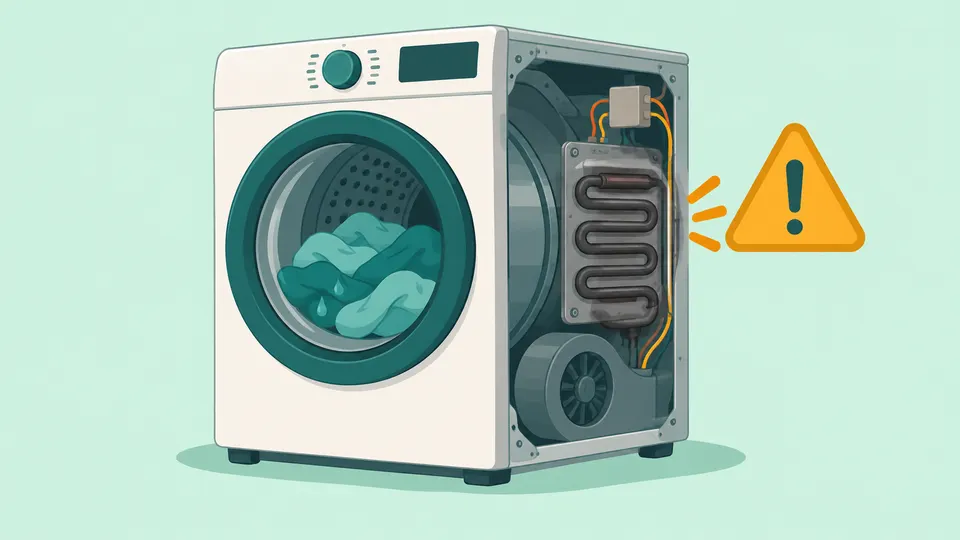
Quick Answer
If your Samsung dryer is not heating, rule out a no-heat setting, then check power or gas, then the vent. Run Time Dry with Eco Dry off for 30 seconds and feel inside the drum. No heat at all? On an electric dryer, turn the breaker off for 30 seconds and back on; on a gas dryer, confirm the gas is on. If the Vent Blockage test then passes and there is still no heat, request Samsung service.
On this page
- Why is my Samsung dryer not heating?
- Could a Samsung setting be blocking the heat?
- What do Samsung heat codes like hE, HC and tE mean?
- Is your Samsung dryer electric or gas, and what changes?
- How do you check the lint screen and vent on a Samsung dryer?
- When does a Samsung dryer need service?
- Frequently Asked Questions
- Our Take
- Sources
Key Takeaways
- Air Fluff uses no heat, and Eco Dry starts some cycles without heat, so a cold drum is not always a fault.
- Electric Samsung dryers need a 240 V outlet and draw from two breaker circuits; only one of them may have tripped.
- Gas Samsung dryers need the gas line connected and turned on. Igniter, gas valve and gas line work belongs to a licensed technician.
- Samsung's hE and HC heating codes usually point to a clogged lint screen or vent; on models that have it, the built-in Vent Blockage test checks the vent.
- If the vent test passes and there is still no heat, Samsung's next step is a service request.
Why is my Samsung dryer not heating?
Samsung splits this problem into two symptoms: a dryer with no heat at all, and a dryer that warms but is not hot enough [1]. The 30-second test tells them apart. Choose Time Dry, turn Eco Dry off, start the dryer, open the door after 30 seconds and feel inside. Any warmth means the dryer is making at least some heat, so lint, the vent or a setting are the first suspects. A completely cold drum points to the installation, the power or gas supply, or a part that needs service.
The causes also depend on how your dryer makes heat. An electric model uses a heater fed by a 240 V circuit; a gas model burns gas and needs its supply line on. Samsung's checklist treats the two differently, and so does this guide. If your dryer is not a Samsung, or you want the general gas versus electric walkthrough with parts explained, see our guide to a dryer that is not heating.
Could a Samsung setting be blocking the heat?
Yes, and this is worth ruling out before you call anyone. Several Samsung cycles and options run cool on purpose, according to Samsung's guide to its dryer cycles and settings [3].
| Setting | What it does to heat | What to do |
|---|---|---|
| Air Fluff | Uses no heat; tumbles the load in room-temperature air | Pick a heated cycle |
| Eco Dry | Starts certain cycles without heat; cycles can take up to 3 times longer | Turn it off, then retest |
| Wrinkle Prevent | Tumbles the drum with no heat after the cycle ends | Normal; it stops when you open the door |
| Extra Low temperature | About 100 to 110 °F, the lowest heated setting | Choose a higher temperature if the label allows |
| Delicates | Dries at a low temperature | Expect slower drying |
| Steam cycles | Damp clothes at the end are expected | Hang or finish on another cycle |
Eco Dry is on by default for Normal and Time Dry on models that have it, so a Samsung dryer can feel cold at the start of a cycle with nothing wrong. Samsung's no-heat guide says Eco Dry intentionally reduces heat and may turn on automatically on those cycles, and lists turning it off as a fix [1]. The steam note comes from the same page.
Two display messages are easy to misread as faults. CL means Child Lock is on, which disables the control panel buttons and, on some models, locks the door [2]. It does not cut the heat, but it can stop you from changing a cycle. Smart Care is a code you scan with the Samsung app on your phone to get troubleshooting steps; it does not need Wi-Fi [3].
What do Samsung heat codes like hE, HC and tE mean?
Samsung's US error code page lists dryer codes without splitting them by model series, and several codes have more than one display form depending on the display [2]. The ones tied to heat are these:
| Code (variants) | Samsung's meaning | Dryer type | First step |
|---|---|---|---|
| hE, HC, HC4, 1 HC | Heating error: the dryer is getting too hot | Electric and gas | Clean lint screen and vent; electric only: have the voltage checked |
| HC2 | Gas ignition error | Gas only | Power off 2 to 3 minutes, restart; service if it returns |
| tE, tS, tC (and others) | Temperature or temperature sensor issue | Electric and gas | Clean lint screen and exhaust vent |
| 9C1, 9E, 9E1, 2E | Abnormal supply voltage | Electric and gas | Own circuit, no extension cord; electric: check cord and voltage |
| CLg, Cg, C80, C90 | Vent Blockage test result: vent clogged | Models with the test | Clean lint filter and exhaust vent |
Samsung says the most common cause of hE and HC is a clogged lint screen or vent system trapping heat in the dryer. A heating code does not always mean the heater has failed; Samsung points to trapped heat from lint or a blocked vent first. Samsung adds one electric-only cause: low voltage can keep the heater from getting hot enough, and an electrician should check the supplied voltage [2].
If the code clears but comes back after you clean the lint screen and vent, Samsung's instruction for each of these codes is to request service through its Support Center. Not sure the code came from the dryer and not a stacked washer? Check it in our error code lookup.
Is your Samsung dryer electric or gas, and what changes?
Check the back of the dryer and the user manual or rating label. A gas dryer has a gas supply line connected to it; an electric dryer plugs into a large 240 V outlet. On many Samsung US dryers the model number starts with DVE for electric or DVG for gas, but confirm it in your manual.
Electric Samsung dryers: 240 V and the two-circuit breaker
Samsung's installation checks for an electric dryer are a 240 V outlet and an inspected power cord [1]. Samsung notes that electric dryers have two circuits and only one may have tripped, so turn the breaker off for 30 seconds and back on. A dryer is usually fed by a double-pole breaker with two linked handles, so switch the whole breaker fully off, then on. If one side of the 240 V supply is lost, for example a blown fuse on an older panel or a failing breaker, the drum can still turn while the heater stays cold; that is an electrician's job. If the breaker trips again, stop and call an electrician.
The 9C1 voltage code adds two more electric checks: the dryer should be on its own circuit, never on an extension cord, with the cord installed correctly [2]. Do not open the terminal block cover or test the outlet yourself unless you are trained; a supply voltage problem is an electrician's job.
Gas Samsung dryers: the supply line and HC2
For a gas dryer, Samsung's installation check is that the gas line is properly connected and turned on [1]. The safe owner check is to look at the shutoff valve on the supply pipe behind the dryer and confirm it is open, especially after a move, a new install or plumbing work. If you smell gas, do not operate the dryer or any switch; leave the house and call your gas utility or 911 from outside.
An HC2 code is Samsung's gas ignition error. Samsung's steps are to power the dryer off for 2 to 3 minutes, power it back on, restart the cycle, check the user manual and request service if HC2 returns [2]. Igniter, gas valve and gas line work on a Samsung gas dryer belongs to a licensed technician, not an owner. For how gas burners and electric heaters fail in general, see our dryer not heating guide.
How do you check the lint screen and vent on a Samsung dryer?
Lint and venting matter on both model types, and Samsung's own heating codes point there first. The U.S. Fire Administration says you are at higher risk of a dryer fire if you do not clean the lint filter and dryer vents, and advises cleaning the lint filter before and after each cycle [6].
Run the Vent Blockage test. Many Samsung dryers can test their own vent. With the drum cool and empty, press Adjust Time Up and Dry Level together until "Ins" or "In" appears; some models use Cycle 1 plus Wrinkle Prevent, or Air Fluff plus Wrinkle Prevent. Then hold Start/Pause and keep the door shut [1]. The button pair depends on the model, so check your manual if none of these work.
| Result | Meaning |
|---|---|
| 0 or End | Vent not clogged |
| CLg, Cg, C80, C90 | Clog detected (C80 about 80 %, C90 over 90 %) |
| Ct | Room temperature out of range; wait an hour at room temperature |
| HC | Abnormal temperature; check the cord, empty the drum, retest |
| C1 or CL1 | Laundry in the drum; remove it and retest |
| 9C1 | Abnormal voltage; check the cord |
Clean and inspect the vent. Samsung says to clean the vent once or twice a year and to keep it sealed with no gaps, free of kinks, and within the maximum length in your user manual. It must not be plastic or foil, and every 90-degree turn cuts the maximum length by 6 feet [1]. Unplug the dryer, or shut off its breaker, before you pull it out. On a gas dryer, move it gently so you do not strain the gas connection.
USFA also says to check that the venting behind the dryer is not damaged, crushed or restricted, and that the outdoor vent covering opens when the dryer runs [6]. Repeat the vent test after cleaning until it reads 0 or End. A clogged vent is a dryer problem every brand shares; our LG D80 code guide covers LG's version of the same warning.
When does a Samsung dryer need service?
Samsung's guidance is plain: if the Vent Blockage test passes but the dryer still produces no heat, request service through its Support Center [1]. The same applies when hE, HC, tE, HC2 or 9C1 keeps returning after the steps above [2].
A reset is worth one try, not more. Samsung's reset guide says to unplug the dryer or turn off the breaker and wait, usually 1 to 5 minutes at most, before restoring power. It also says a reset will not fix a vent blockage [4].
The thermal fuse. Samsung's Gulf support page lists a blown thermal fuse as a cause of no heat and says it requires professional repair [5]. A thermal fuse is a safety device. Never bypass or jumper one to get heat back. In our view, a blown fuse is a sign that something made the dryer too hot, and a blocked vent should be cleared before any part is replaced.
Inside the cabinet, the heater, sensors, wiring and every gas part are technician work. If you are trained and decide to open a panel, unplug the dryer first, and on a gas dryer also shut the gas supply. For other brands, compare our Whirlpool dryer not heating guide, or browse all Samsung appliance guides and dryer repair guides.
Frequently Asked Questions
Why does my Samsung dryer run but not heat?
Air Fluff uses no heat, and Eco Dry starts some cycles without heat, so check both first. On an electric dryer, one of its two circuits may have tripped, so turn the breaker off for 30 seconds and back on. On a gas dryer, confirm the gas line is on. Then run the Vent Blockage test.
Can I keep using my Samsung dryer with an hE or HC code?
Clean the lint screen and vent before the next load. Samsung says these codes usually mean heat is trapped by lint or a blocked vent. If the code returns after cleaning, stop and request service.
Will resetting my Samsung dryer fix the heat?
Sometimes. Unplugging or switching off the breaker for 1 to 5 minutes can clear a glitch, and resetting the breaker restores a tripped circuit. A reset will not clear a blocked vent or replace a failed part.
Our Take
We think most Samsung "no heat" calls can be narrowed down before anyone opens the cabinet, because Samsung's own steps are unusually concrete: a 30-second heat test, a built-in vent test, and a clear note that electric dryers have two circuits. In our view, Eco Dry is the setting most likely to confuse owners, since it is on by default on some models and starts cycles cool. We would run the vent test early on any Samsung dryer showing hE or HC. On a gas model, we would stop at confirming the gas is on and leave the igniter and gas valve to a licensed technician.
Sources
- Clothes are not dry after using Samsung dryer. Samsung Electronics America, 2026.
- Samsung dryer displays an error code. Samsung Electronics America, 2026.
- Cycles, settings, and features on your Samsung dryer. Samsung Electronics America, 2026.
- How to reset your Samsung dryer. Samsung Electronics America, 2026.
- What to do when the dryer does not heat. Samsung Gulf, 2026.
- Clothes Dryer Fire Safety. U.S. Fire Administration, 2017.
Repair information is general guidance. Unplug the appliance and shut off water or gas before working on it, follow your owner's manual, and call a qualified technician for gas, refrigerant or high-voltage work. Spotted an error? Tell us.
Related Fixes
Dryer Not Heating? Gas vs Electric Troubleshooting
Dryer not heating? Check the cycle, both breakers on an electric dryer, the gas shutoff valve on a gas dryer, then the vent. See which parts need a technician.
Whirlpool Dryer Not Heating: What to Check
Whirlpool dryer not heating? Run Whirlpool's 5-minute heat test, rule out Air Only and Wrinkle Shield, check both breakers or the gas valve, then the vent.
LG Dryer D80 Code: Clearing the Vent Blockage
LG dryer D80 code: the exhaust duct is about 80% blocked. Clean the lint filter, fix the duct, check the outside flap, and rule out gas supply on gas models.