Garage Door Opener Not Working? 9 Checks Before You Call a Pro
Quick Answer
Press the wall button first: if it works, your problem is the remote; if the motor runs but the door won't close, check the safety sensors. Then check power, the LOCK button and remote batteries. Chamberlain, which makes LiftMaster openers, says blinking lights with a door that won't close usually mean the sensors or the LOCK button. A broken spring or frayed cable is a stop: call a pro.
On this page
- Which of the 9 checks should you start with?
- Why is my garage door opener completely dead?
- Why is my garage door opener remote not working?
- Why won't my garage door close and the sensor is blinking?
- Why does the door stop, reverse or only travel part way?
- Which problems are a spring or cable job, and when should you call a pro?
- Frequently Asked Questions
- Our Take
- Sources
Key Takeaways
- The wall button splits the problem in two. Wall button works but remote doesn't: LOCK button, batteries, programming. Neither works: power, then the opener itself.
- Door won't close and the lights blink 10 times, or the sensor LEDs are off or flickering: clean and realign the safety sensors. Never disable them.
- A door that stops, reverses or travels only part way is usually an obstruction, a binding door, or travel and force limits.
- After any adjustment, run the safety reversal test with a 2x4 laid flat. If the door won't reverse, stop using the opener.
- Springs, cables and the brackets attached to them are a hard stop. Do not touch them; call a garage door technician.
Which of the 9 checks should you start with?
Start with the symptom, not the part. Press the wall control and watch what the door and the opener do, then jump to the matching check. Most no-response problems are in the first six checks and cost nothing.
| # | Check | Fixes this symptom |
|---|---|---|
| 1 | Plug, outlet and breaker | Dead opener, no light |
| 2 | Battery backup light and reset | Opener on battery or unresponsive |
| 3 | LOCK button on the wall control | Remote ignored, wall button works |
| 4 | Remote battery | Weak or no response from the remote |
| 5 | Reprogram the remote | Remote paired once, now ignored |
| 6 | Clear and clean the sensors | Won't close, lights blink |
| 7 | Realign sensors, check sunlight | Sensor LEDs off or flickering |
| 8 | Obstruction, hand test, travel and force limits | Stops, reverses, moves part way |
| 9 | Safety reversal test | Proves the fix is safe |
Our TVs & Electronics guides cover more home equipment. Appliance codes are in our error code lookup; garage door codes are in the manufacturer charts below.
Why is my garage door opener completely dead?
If the wall button gives no light, no click and no motor sound, think power first (check 1 and check 2).
Check 1: power. Confirm the opener is plugged in and the outlet has power; a lamp plugged into the same outlet is a quick test. In our reading, a tripped breaker or tripped outlet is the most common cause of a fully dead opener, so reset it once. If it trips again right away, leave it off and call an electrician. Disconnect power before you take any cover off.
Check 2: battery backup and reset. Many newer openers have a backup battery. Chamberlain says a solid orange light near the Learn button means the opener has lost power and is running on the battery, and a red light means the battery is drained and needs replacing [5]. If the opener seems confused after a power flicker, Chamberlain says to try unplugging it for 5 seconds before assuming the logic board has failed [3].
If the motor hums but the door barely moves. Chamberlain's code 1-5 describes an opener that hums or clicks while the door moves less than 6 to 8 inches or not at all, because no motor rotation is detected (same source). A stuck or heavy door can cause the same symptom; see the spring warning later in this guide.
If the door is stuck and you need to get the car out. Genie says pulling the emergency release cord disconnects the door from the opener's carriage so you can lift it by hand. Lift by the handle and keep your fingers away from the sections [10]. To reconnect later, return the door to the position it was in when you disconnected it, then re-engage the carriage [11]. If the door feels very heavy or won't stay up, stop; that is a spring symptom.
Why is my garage door opener remote not working?
First press the wall button. If the door moves, the opener is fine and the fault is in the remote path (checks 3, 4 and 5). This is the most common version of a garage door opener remote not working.
Check 3: the LOCK button. On many Chamberlain and LiftMaster wall controls, pressing LOCK turns remotes off while the wall control keeps working. Chamberlain says to press LOCK to turn it off (the lights flash two times), then press the remote; if the door closes, you've found the cause [1].
Check 4: the remote battery. Genie's answer to "Why won't my Genie remote work?" lists two fixes: make sure the remote is properly programmed and make sure fresh batteries are installed [12]. Replace the battery with the type printed in the battery compartment.
Check 5: reprogram the remote. Each brand has its own steps, and they depend on your model. Genie lists a separate programming document for each remote [13]. Find your opener's model number on the label on the motor unit, then follow the manual for that model. If a remote still won't pair after fresh batteries and reprogramming, the remote itself may be at fault, so test a second remote if you have one.
Why won't my garage door close and the sensor is blinking?
When the door won't close and the lights flash, the safety reversing sensors are the usual suspect. Chamberlain says the main lights flash 10 times when the sensors have a problem, and two times when LOCK is on [1]. It also says openers and logic boards made after 2022 no longer flash 10 times [4], so on a newer unit read the LED next to the Learn button or the arrow lights instead.
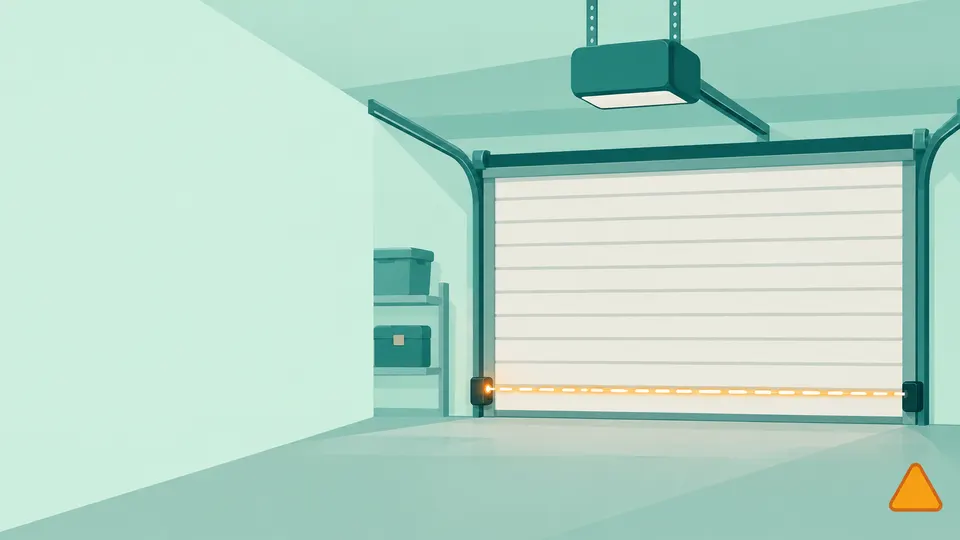
The sensors sit on both sides of the door, no more than 6 inches above the floor, and the beam between them must be clear. Chamberlain says the amber LED is the sending sensor and the green LED is the receiving sensor [2].
Check 6: clear and clean. Make sure nothing blocks the beam, such as a bin, a bike wheel or a cobweb, and wipe both lenses with a dry cloth.
Check 7: realign and watch for sunlight. Chamberlain's steps: loosen the wing nut on the sensor, point both lenses directly at each other, and tighten the nut once the receiving (green) LED stays steady; then test with the remote or wall control [2]. If the door closes in the evening but not in the morning, sunlight may be hitting the receiving sensor. Chamberlain says direct sun can overpower the sending sensor's beam, making the opener act as if the path is blocked, and suggests swapping the sensors' sides or adding sun shields [6].
Never disable, bypass or remove the sensors to get the door to close. Chamberlain calls them a required safety device, and Genie says its opener will not work if its sensor beam is tampered with, removed or disengaged [2] [14].
If the LEDs stay off or the code points to wiring, stop at the sensors. Chamberlain's Learn-button codes use one flash for a broken or disconnected sensor wire and two for a shorted or reversed one, and four for misalignment [4]. Chasing a cut wire along a wall is a job for a technician.
| Code (Security+ arrows) | What it means | Typical symptom |
|---|---|---|
| 1-1 | Sensor blocked, misaligned, disconnected or not communicating for over 4 seconds | Door closes, then reverses |
| 1-2 | Sensor wires reversed or shorted | Door won't close, may move an inch or two |
| 4-1 | Resistance while closing | Door reverses or stops while closing |
| 4-3 | Motor rotation lost while closing | Door stops and reverses just before the floor |
These come from Chamberlain's diagnostic chart for Security+ 2.0 and 3.0 openers, which notes that flash counts vary by model and software version [3]. If your garage door opener won't close and your code isn't listed, check your owner's manual.
Why does the door stop, reverse or only travel part way?
When the motor runs but the door stops or comes back up, the opener is sensing resistance. Chamberlain lists the causes as an obstruction, a force setting that is too low, or incorrect travel or force limits, and says the door may also be binding or unbalanced [7].
Check 8: path, hand test, limits.
- Clear the path of anything in or under the door.
- Disconnect the opener with the release cord and move the door by hand. Chamberlain says it should move smoothly; if it sticks or feels unbalanced, run a balance test (same source).
- If the door moves smoothly, adjust the travel and force limits in your owner's manual. The method depends on whether your opener has screws, buttons or arrow controls.
Stop at step 2 if the door is stiff, heavy or crooked. That points to the springs, cables or tracks, which are not owner repairs (next section).
Check 9: the safety reversal test. Run this after any adjustment and once a month. Chamberlain says the system must be tested every month, using a flat 2x4 or a one-inch board; the door must reverse on contact with a 1-1/2 inch object [8]. Genie says the door should begin to reverse off the 2x4 within two seconds [9]. Open the door, lay the 2x4 flat under it, close the door and watch.
If the door stops on the board instead of reversing, Chamberlain says it is not traveling far enough down; it adds that if the door will not reverse after repeated adjustment attempts, you should call for professional garage door service (Chamberlain Group, same source). If the door will not reverse off the board, stop using the opener until a professional has fixed it.
Which problems are a spring or cable job, and when should you call a pro?
This is the stop line. Genie says not to operate the door, manually or with the opener, if a spring is broken, and not to remove, repair or adjust springs, cables, brackets or other parts attached to the spring system; high-tension spring work must be done by a professional dealer with proper tools [9]. Garage door springs and cables are under high tension; do not loosen, adjust or replace them yourself.
Genie also describes a balance check you can see for yourself: with the door closed and the opener released, raise the door by hand 36 inches; it should stay put, and if it drifts more than a few inches you should contact a professional dealer right away [9]. We would skip that test if the door feels very heavy, because you cannot see how much tension is left in the springs.
| What you see | Who to call |
|---|---|
| Broken spring, door will not lift by hand | Garage door technician, and do not use the door |
| Frayed or slipped cable, door sits crooked | Garage door technician |
| Door drifts down when released halfway | Garage door technician |
| Door will not reverse off the 2x4 | Opener or garage door technician |
| Sensor LEDs stay off, wiring codes 1 or 2 | Technician or electrician |
| Dead outlet or breaker that trips again | Licensed electrician |
For how we source guides like this one, see our editorial policy and about page, or browse all repair guides.
Frequently Asked Questions
Why does my garage door opener work with the wall button but not the remote?
If the wall button moves the door, the opener itself is working. Check the LOCK button on the wall control, replace the remote battery, then reprogram the remote using your model's manual. Chamberlain says LOCK keeps remotes from working while the wall control still does.
Why does my garage door go down and then back up?
The opener is sensing something. It may be a blocked or misaligned sensor, an obstruction, or travel and force limits that need adjusting. Chamberlain's code 1-1 describes a door that closes and then reverses because of a sensor problem, and code 4-3 describes a door that reverses just before the floor.
Can I close my garage door if the sensors won't work?
Do not disable the sensors. If you must secure the home today, call a technician, who can inspect the wiring. Chamberlain says the hold-the-button close on older openers is not available on units made after February 3, 2022.
Our Take
We think most owners can solve most of these problems with the first seven checks, and that sensors cause more "won't close" calls than motors do. Chamberlain's own support pages put the LOCK button and the sensors first, and Genie's remote answer is just programming and fresh batteries, so those cost nothing to try. In our view the monthly 2x4 test is the most overlooked step, because it is the only proof the safety system works after an adjustment. We would stop the moment a spring, cable or bracket is involved. Both manufacturers say that work belongs to a professional, and an hour waiting for a technician is cheaper than an injury.
Sources
- Garage Door Opener Light Blinks but The Door Won't Close. Chamberlain Group.
- Garage Door Safety Sensors | How to Align. Chamberlain Group.
- Garage Door Opener | Diagnostic Codes and UP/DOWN Flashing Lights. Chamberlain Group.
- What Does the Flashing LED Next to the Learn Button Mean. Chamberlain Group.
- What the Different Color LEDs on a Garage Door Opener Mean. Chamberlain Group.
- Sun Light Interference with Safety Sensors. Chamberlain Group.
- Garage Door Only Travels a Little Way and Then Reverses. Chamberlain Group.
- How Do I Test the Safety Reversal System?. Chamberlain Group.
- Maintenance and Safety Tips. The Genie Company.
- How to release the garage door opener in case of an emergency or power loss. The Genie Company.
- How do I re-engage/re-lock my garage door?. The Genie Company.
- Why won't my Genie remote work?. The Genie Company.
- Remote and Keypad Programming. The Genie Company.
- ChainMax 1000 (Model 3022) Product Support Information. The Genie Company.
Repair information is general guidance. Unplug the appliance and shut off water or gas before working on it, follow your owner's manual, and call a qualified technician for gas, refrigerant or high-voltage work. Spotted an error? Tell us.